12
Web Interface
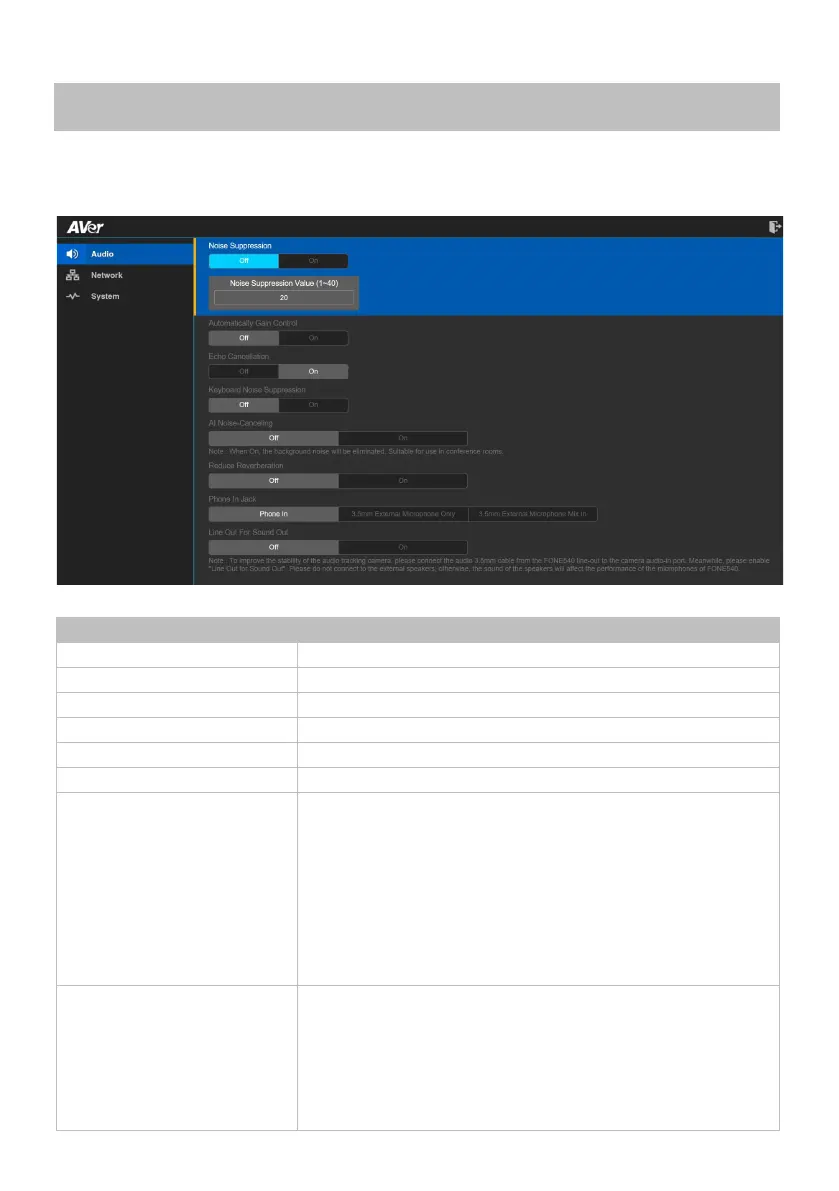
Audio
Automatically Gain Control
Turn automatic gain control on or off.
Keyboard Noise Suppression
Reduce the sound of crying babies or barking dogs.
Reduce the sound reverberation within a room.
Phone In Jack Select an option based on the device connected to the phone in
port and use case:
• Phone In: Connect a smartphone to communicate with
remote participants.
• 3.5 mm Microphone Only: Use only your connected external
microphones as audio source.
• 3.5 mm Microphone Mix In: Use both the FONE540 and your
connected external microphones as audio source.
Line Out For Sound Out To improve the stability of a voice-tracking camera:
1. Connect the line out port on the FONE540 and the audio in
port on the camera with the 3.5mm audio cable.
2. Turn on Line Out for Sound Out.
3. Do not connect external speakers to the FONE540. Doing so
may interfere with the microphones of FONE540.



 To Next Page