14
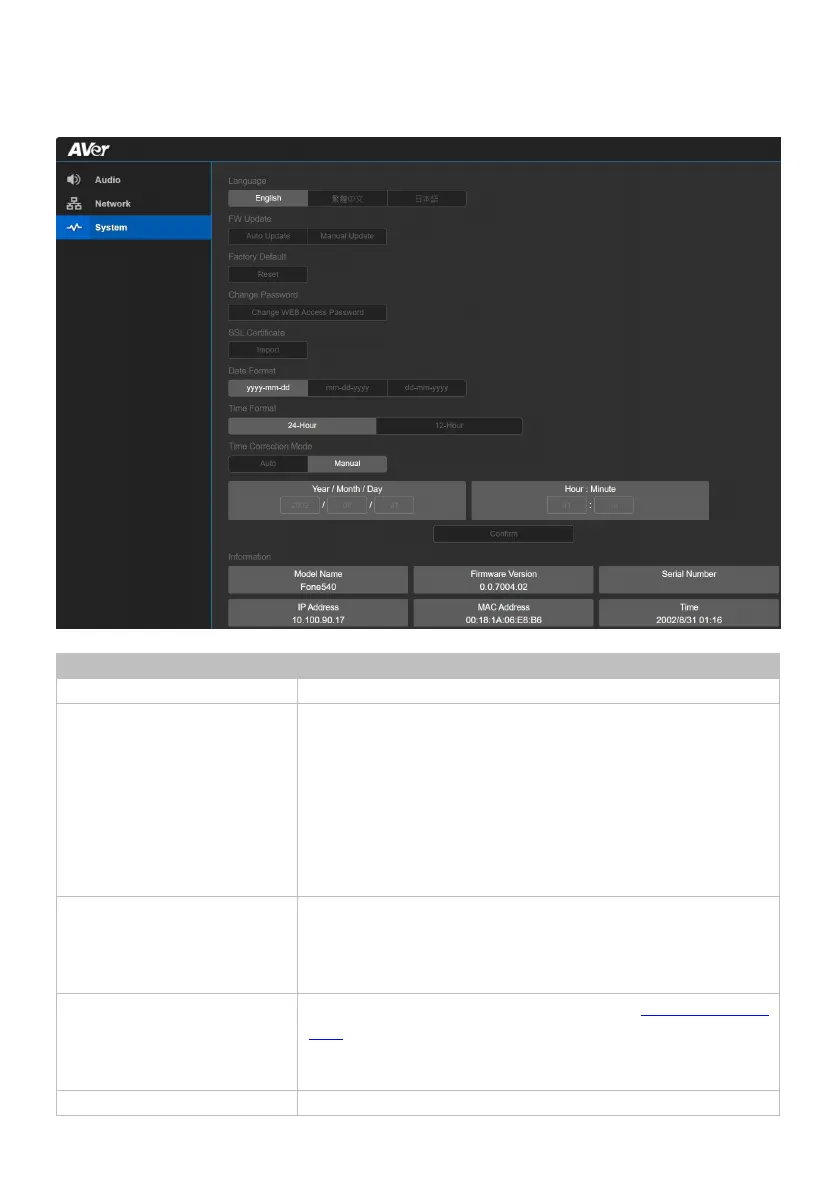
System
Select a language for the web interface.
FW Update Update your speakerphone’s firmware.
• Auto Update: Checks and updates online.
• Manual Update: Update the firmware using a file offline.
Note: The speakerphone will reboot and the connection will be
lost. Please wait a few minutes and keep the power cable
connected. Unplugging the cable during this process may
Factory Default Reset your speakerphone to factory default settings. You can
choose to keep the IP address by selecting the checkmark.
• If you forgot your password, use Room Management to reset
the web interface password to the default aver4321.
Change Password Change the web interface password. Refer to <Log In for the First
Time>.
• If you forgot your password, use Room Management to reset
the web interface password to the default aver4321.
Upload an SSL certificate.



 To Next Page