5
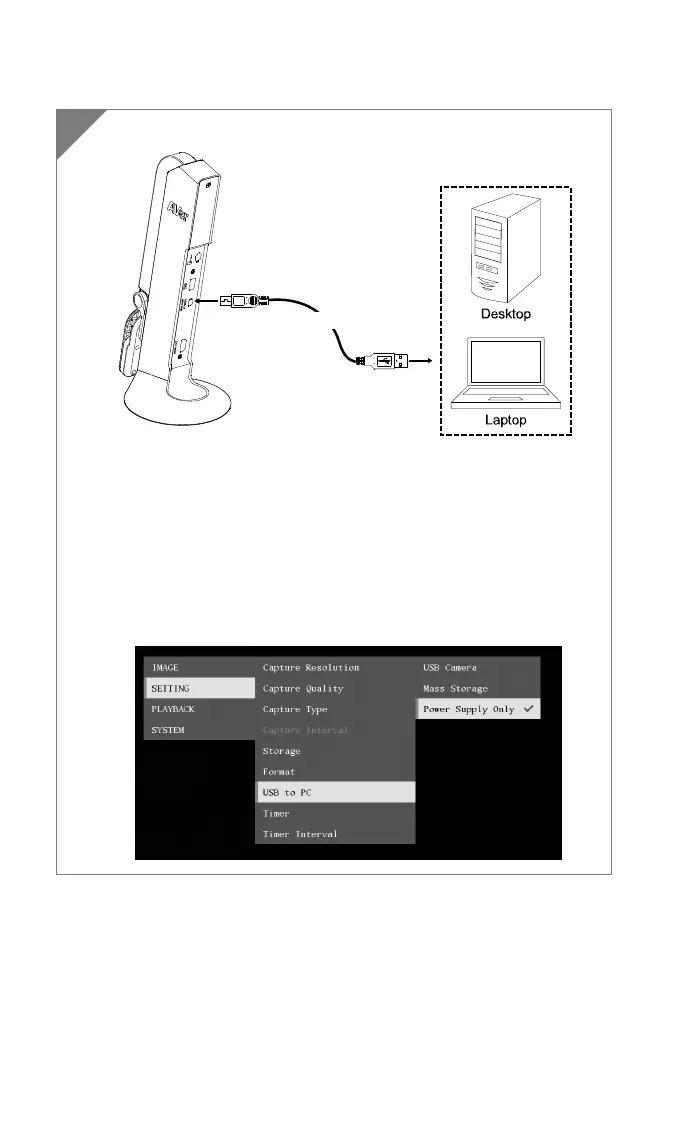
Power Connection to PC/Laptop
Connect to USB port of PC/laptop for power supply.
USB cable
[Note]
Use the USB cable which included in package connects to mini
USB/ Power port of M11-8M with laptop/PC.
When the camera is start-up, the power indicator is in flashing
red.
USB power requirement of M11-8M is USB 3.0 5V/0.9A.
For Storage, Format, Capture, Recording and Playback functions,
please change to “Power Supply Only” mode
1



 To Next Page