30
Voice Tracking Configuration
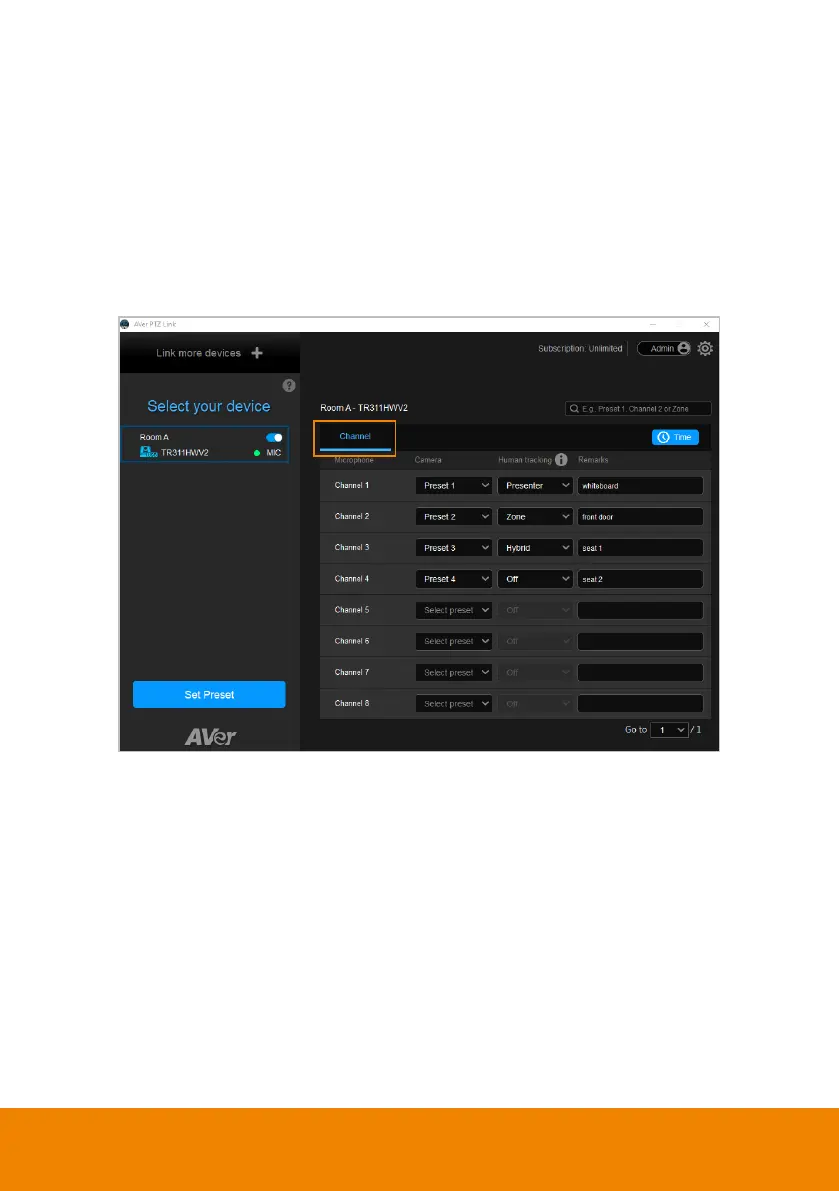
After adding the devices to the program, you can further configure the voice
tracking function.
You can set up
Channel
by pairing up microphone channels and camera preset
positions. When the microphone detects a sound, the camera will move to the
pre-configured position. This function supports both IP cameras and Virtual
Cameras (USB).



 To Next Page