9
Supported Microphones
Some models may require setup in their manufacture software before using PTZ
Link.
Audio-Technica
ATND1061 Beamforming Ceiling Array Microphone
Digital Microphone Manager
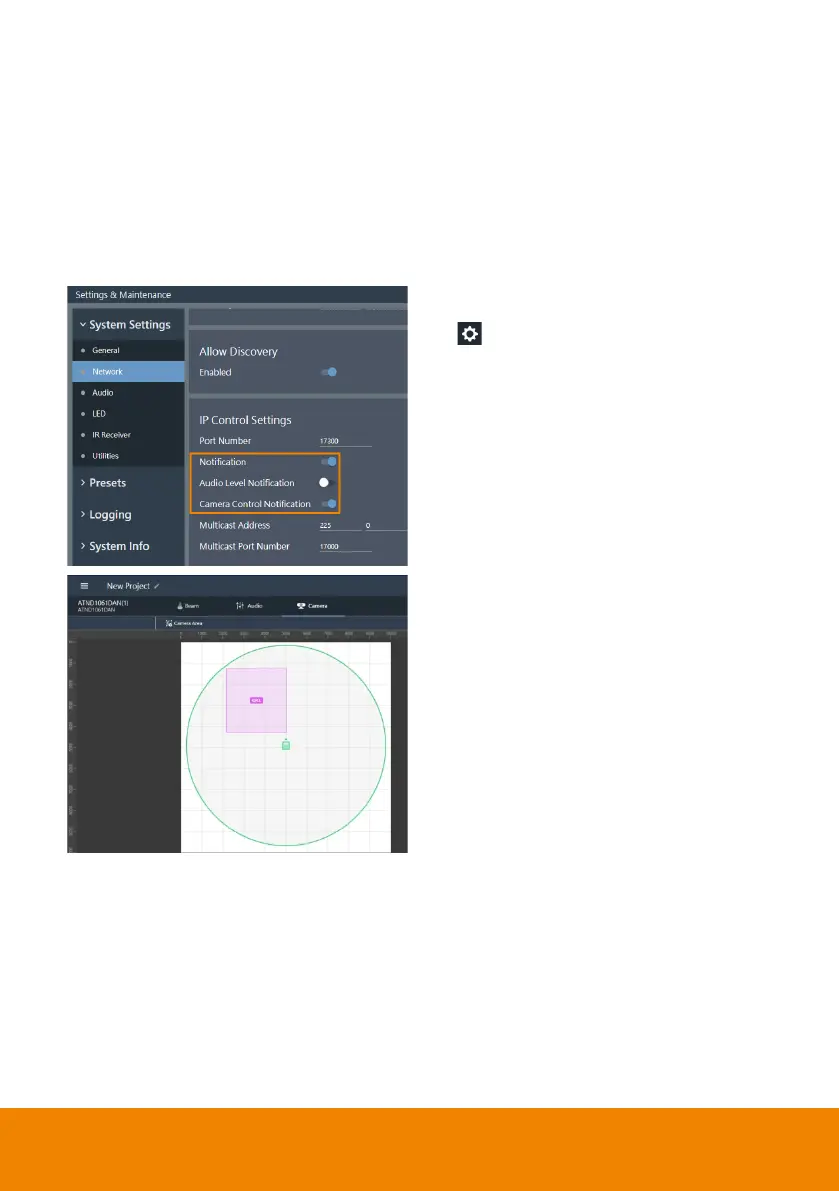
1. Go to Settings & Maintenance
> System Settings > Network
> IP Control Settings.
2. Turn on Notification and Camera
Control Notification.
3. Select a microphone in the main
area.
4. Click Camera > Click Camera
Area.
5. Add a Camera Area by dragging it
within the microphone pickup area.
Each Camera Area group
corresponds to PTZ Link
channel 1-8.



 To Next Page