44
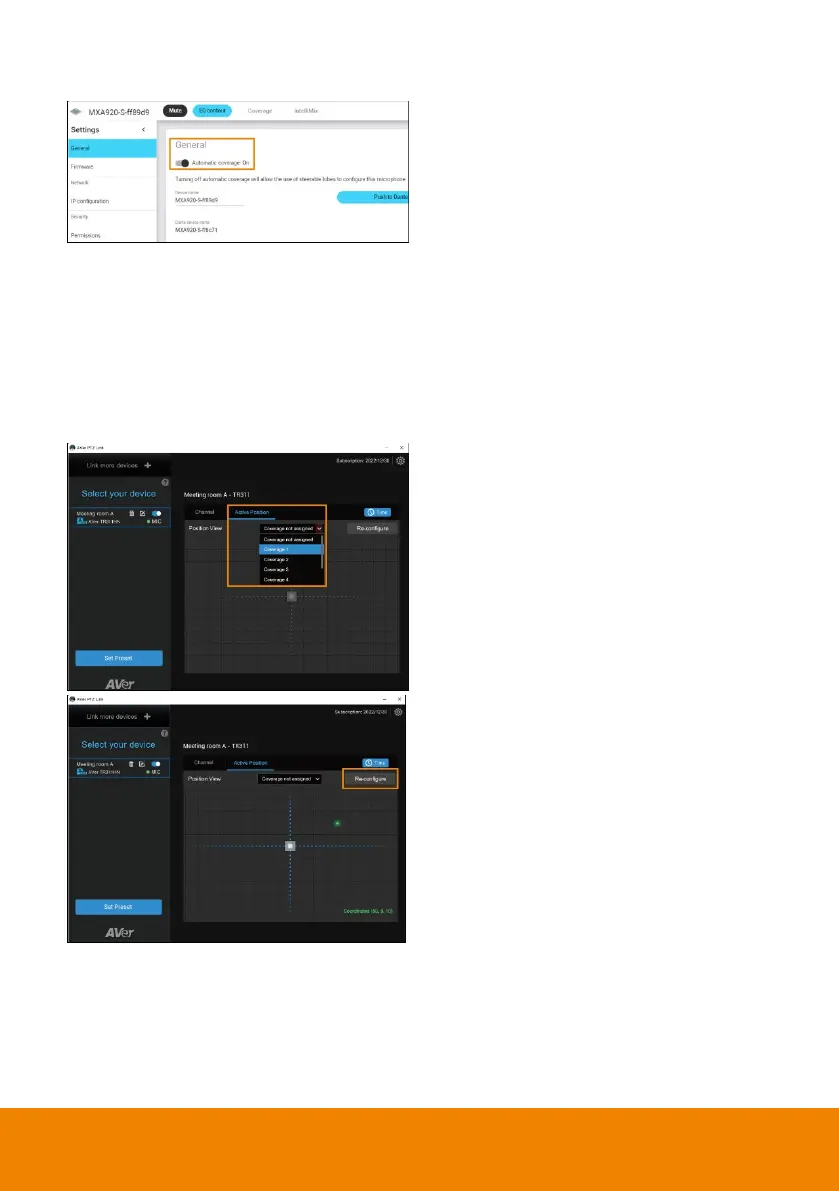
To adjust or add a coverage area:
application.
2. Go to Settings > General >
Automatic coverage.
3. To add a mix of up to 8 dynamic
and dedicated coverage areas,
turn on Automatic coverage.
The default setting is a 30 by
30 foot (9 by 9 meter) dynamic
coverage area.
4. To add more coverage areas, go to
Coverage > Add coverage.
5. On the Active Position tab, select
Coverage not assigned to use all
MXA920 coverage areas.
6. Or select a coverage area that you
have added in the MXA920 web
application from the drop-down list.
Talker positions outside of the
selected coverage area won’t
be picked up by PTZ Link.
7. To change coverage areas, click
Re-configure.



 To Next Page