10 of 48
Hardware and Software
This chapter introduces the different components and controls of your notebook computer, including the
hardware components, the software, and the audio and video systems.
Getting Started
Before you begin using your computer, read this chapter to familiarize yourself with the main features of
this notebook computer.
Slide the screen latch on the front edge of the cabinet towards the right to release the cover latch and
open up the computer.
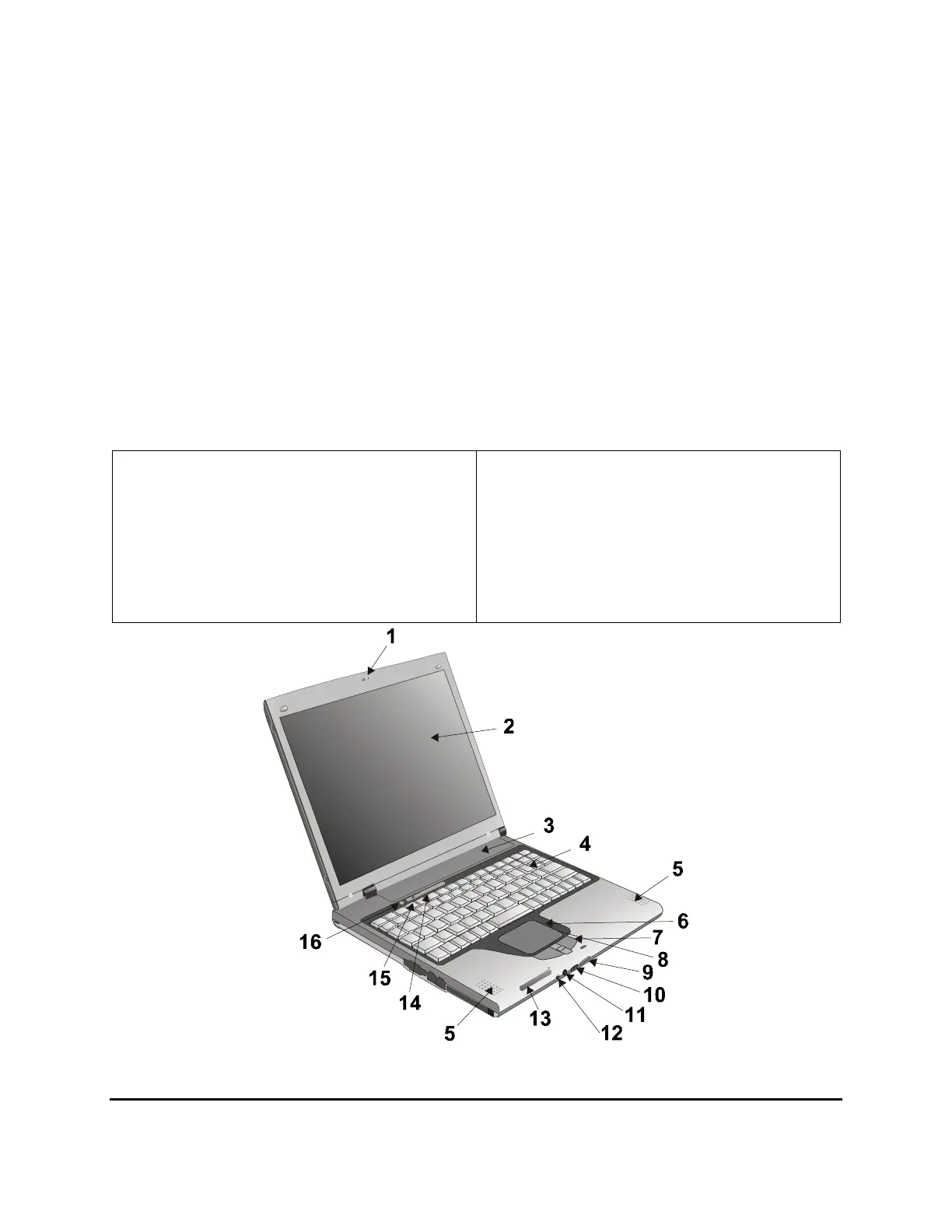
Front View
1. LCD release latch
2. LCD panel
3. Battery
4. Keyboard
5. Speakers
6. Touchpad
7. Touchpad buttons
8. Scrolling area
9. MS/MMC/SD card slot
10. Volume control knob
11. Microphone input port
12. Audio output port
13. Power indicators
14. Status indicators
15. Power button
16. Wireless network button



 To Next Page