14 of 48
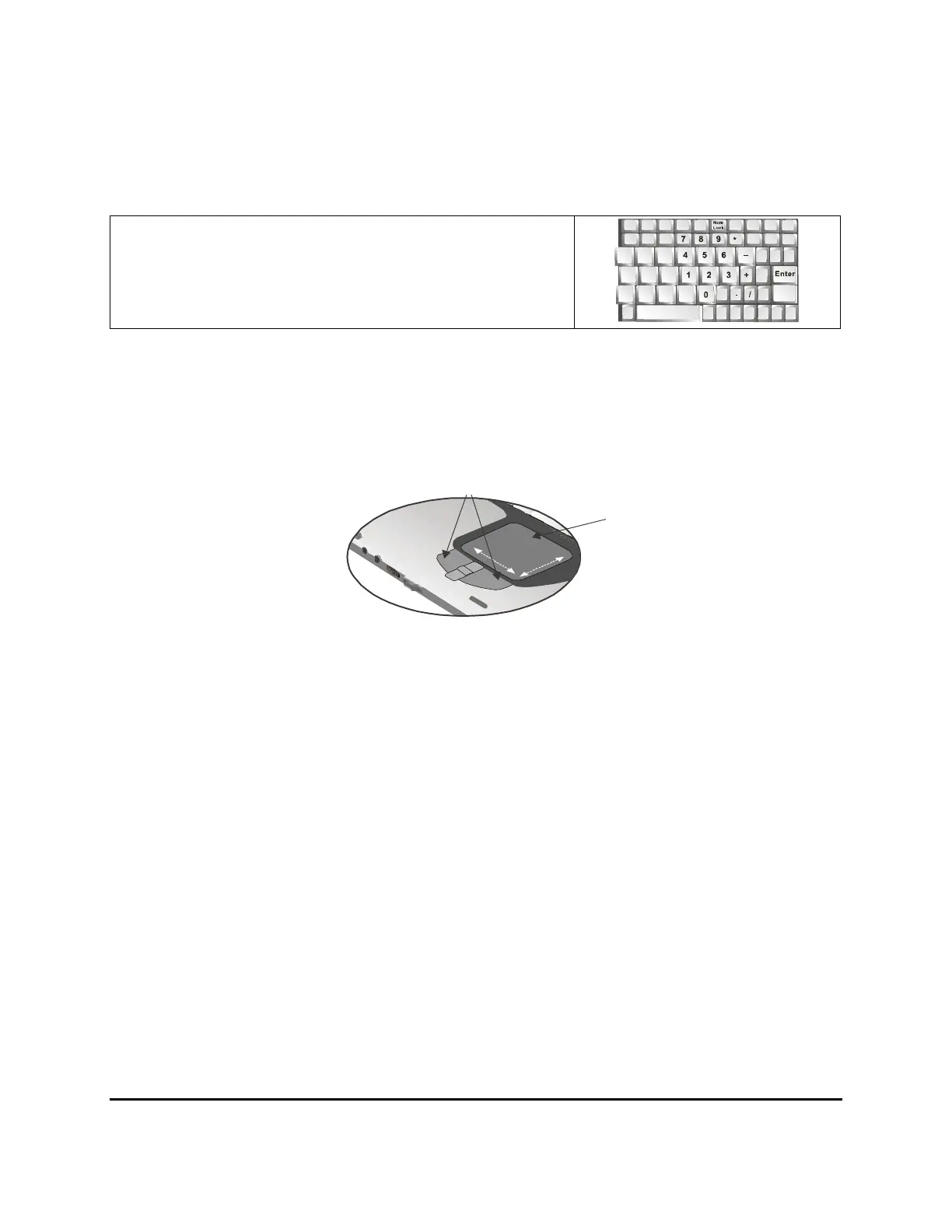
Numeric Keypad
The embedded numeric keypad consists of ten keys that make
number intensive input more convenient. Press <NumLock> to
enable or disable the numeric keypad.
Touchpad
The touchpad is a pressure sensitive pointing device that provides all the features of a two-button mouse.
Its primary function is to move the cursor around the screen.
The instructions listed below describe how to use the touchpad.
1. First, place your fingers on the keyboard in the normal typing position. The touchpad is easily
accessible by moving either your left or right thumb off the space bar and on to the touchpad.
2. Gently move your thumb across the pressure-sensitive touchpad in the direction you want the
cursor to move. The pad detects the change in pressure and moves the cursor in the corresponding
direction.
3. The touchpad offers another method of making selections in a software program. It is called
double-tapping. This function corresponds to double-clicking with a mouse. Once the cursor
has been moved to the object you want to select, lightly double-tap the pressure sensitive
touchpad. This double-tapping on the touchpad will select the desired item and prompt the
software to perform the related operation.
4. The buttons located directly below the touchpad are the same in function as those on a two-
buttoned mouse. Clicking these buttons makes selections, drags objects, or performs a variety of
other functions depending on the software. To select an object, first move the pointer over the
object you want to select, and then press the left button one time. The functions of these buttons
are software specific.
5. Double-clicking is a common technique for selecting objects or launching programs from icons.
Once you have moved the pointer over the object you wish to select, rapidly press the left
button two times. This action is commonly referred to as “double-clicking” an object.
Touchpad buttons
Touchpad



 To Next Page