20 of 48
1. Open the Control Panel.
2. Double-click Display. The Display
Properties window opens.
3. Click the Settings tab.
4. Click the Advanced button.
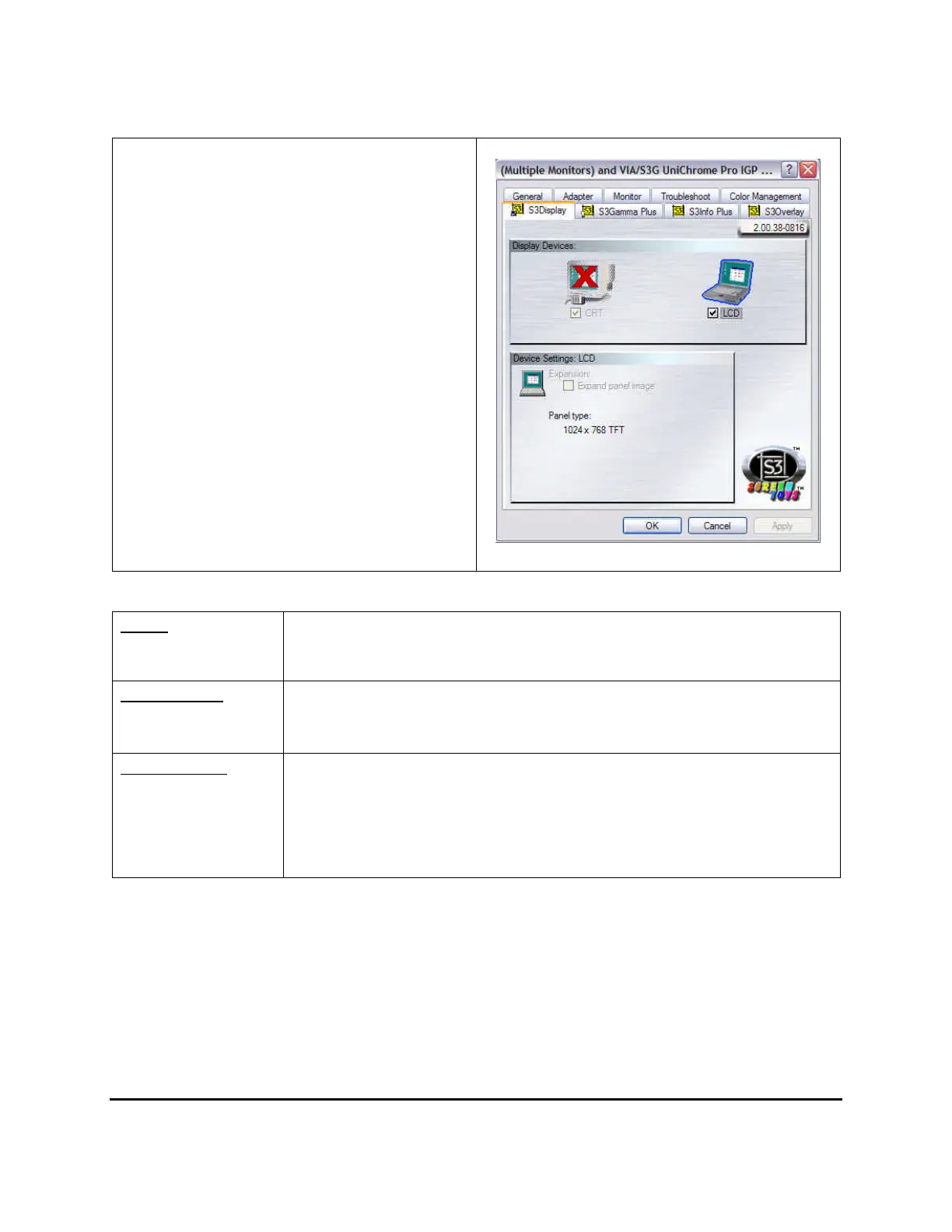
5. Click the S3 Display tab. The screen
shown at the right appears.
6. If an external monitor is connected, check
the CRT check box.
These options are described below.
Single
You can choose which device to apply as the Primary display.
In Single mode, the video display hot key combination is available—you can
cycle the video output by pressing the Fn + F5 keys.
Simultaneous
In Simultaneous mode, the same video is displayed on both the LCD and
external monitor. You can press the Fn and F5 keys simultaneously to toggle
between Single and Simultaneous.
Multi Monitors
In Multi Monitors mode, your notebook’s LCD is the primary device and an
external monitor can be connected and used as the second device. The
secondary device acts as an extension of your LCD screen and therefore
allow you to view 2 applications simultaneously using 2 separate displays. To
enable this feature, right click on the 2
nd
device (marked as “2” and click
attached). This function is only available if an external monitor is connected.



 To Next Page