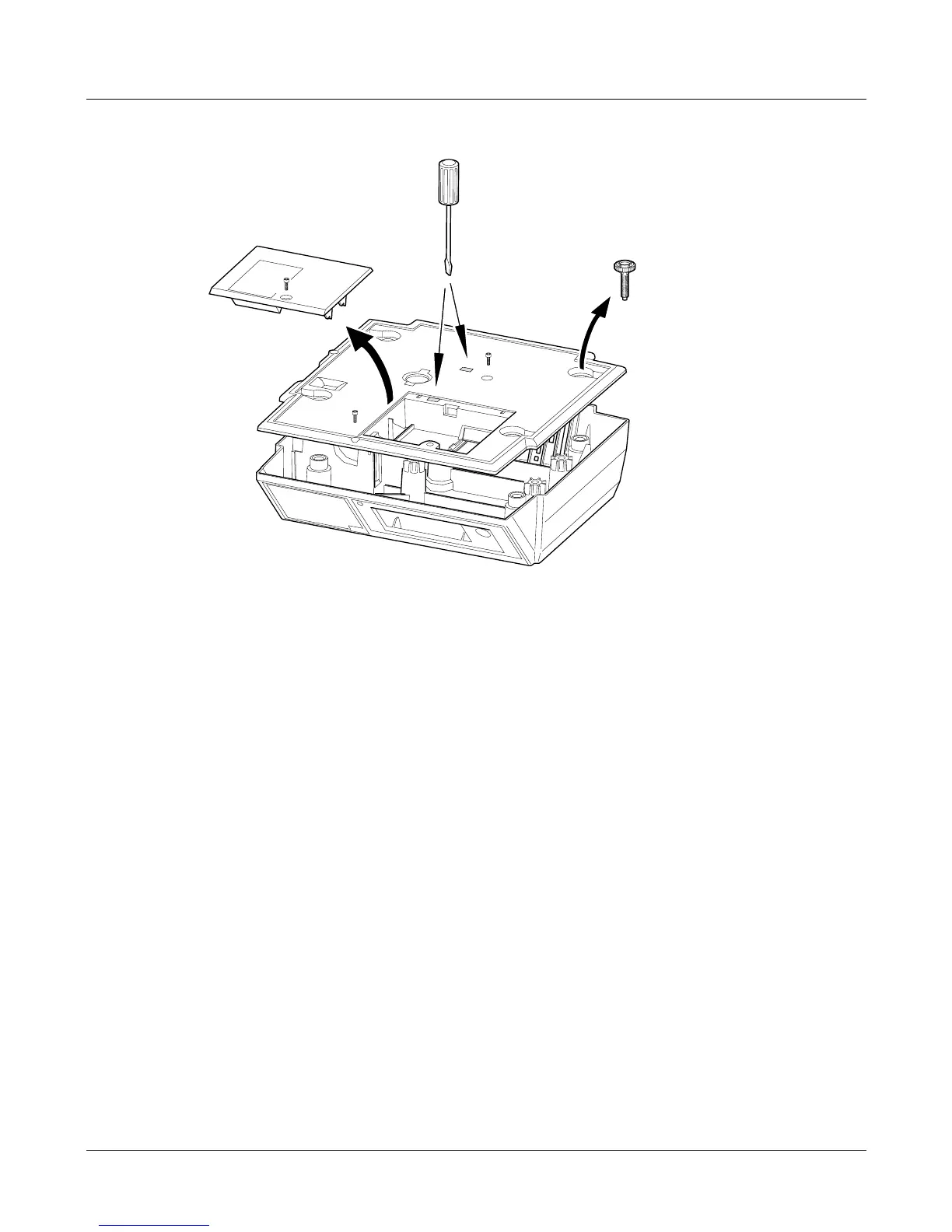
Removing the covers
1. Disconnect the power supply from the scale.
2. Remove the weighplate.
3. Break the tamper seal.
4. Remove the screw (A) and remove the expansion board cover.
5. Remove the feet (and the springs if the scale is a 30kg machine).
6. Remove the screw (B) at the front edge of the scale.
7. Carefully lever the clips holding the cover using a flat-bladed screwdriver.
Note: When replacing the cover, if either of the clips are damaged an M6 machine
or self-tapping screw (C) can be used to hold the cover in place.
Service Instructions 1
Removing the covers
B
A
C








 To Next Page