7.2 Basic operation 74
XM and XT Operator Instructions
7
Payment for purchases
Note: The payment
options you see may
vary depending on how
your scale has been
configured.
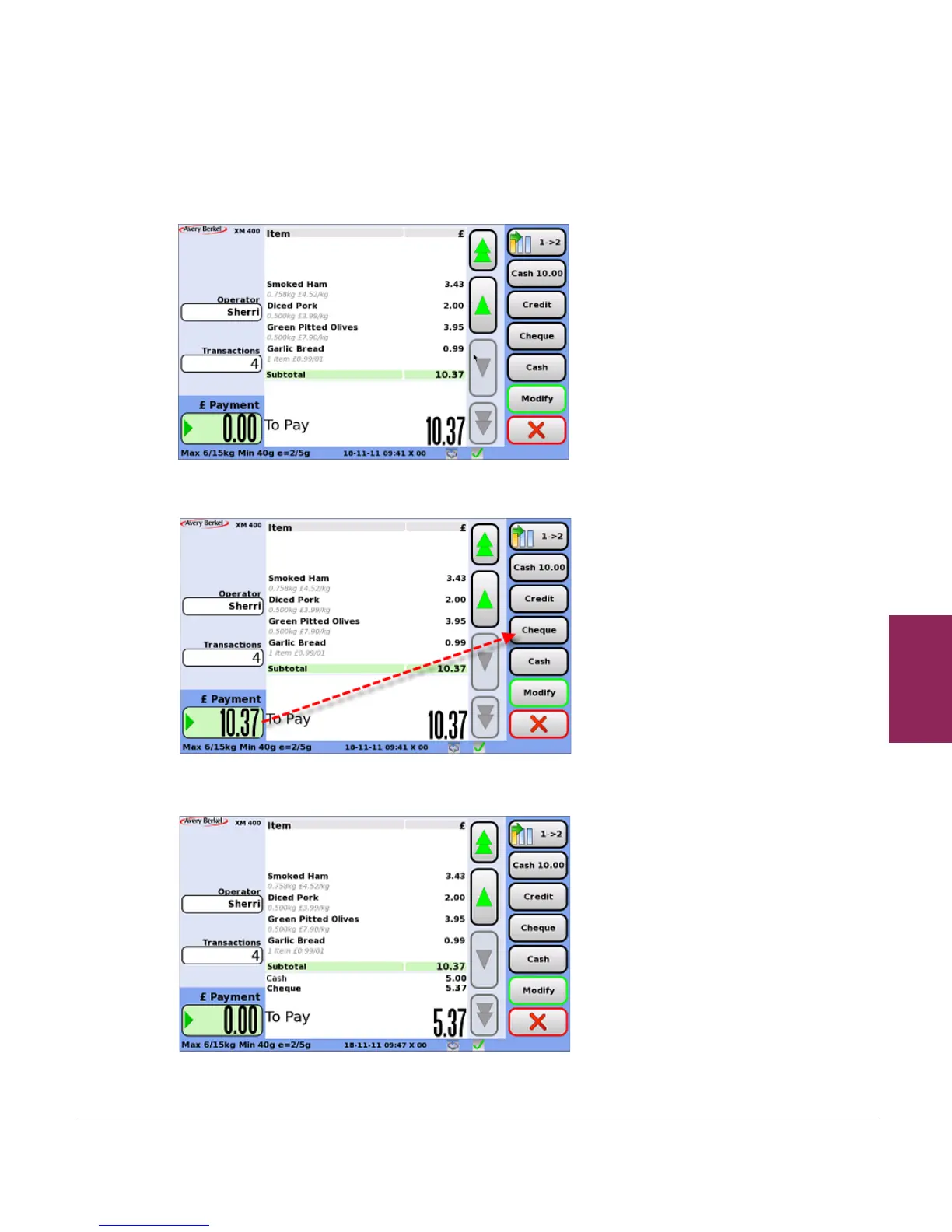
1. The payment screen shows the outstanding transactions.The
programmed types of payment are shown in the right-hand blue
area of the screen.
Note: There is no need
to enter the amount if the
cash tendered is the
exact amount or if using
preset value cash keys.
2. Use the fixed numeric keys to enter the amount tendered, and
then touch the appropriate payment key, for example ‘cheque’.
3. If more than one payment method is being used, repeat step 2 for
each type of payment.
4. The receipt will be printed when the total amount tendered
equals or exceeds the amount to pay.



 To Next Page