Replacing a Drive
53
4. Pull the drive upwards and out of the drawer.
n
If you are not going to replace the drive immediately, close the drawer so that correct airflow and
cooling are maintained in the Engine.
Inserting a Drive (5U Chassis)
To insert a drive:
1. Open the appropriate drawer.
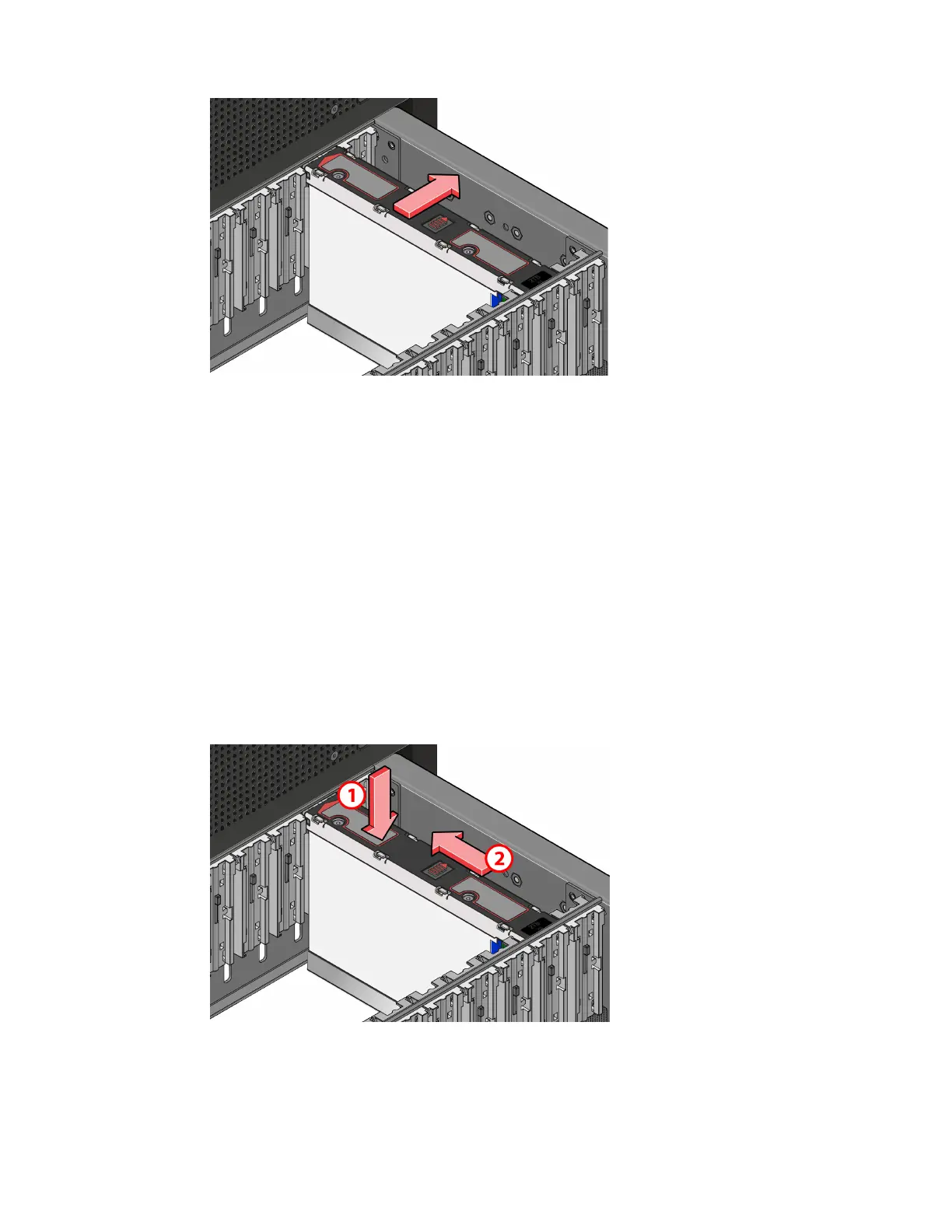
2. Lower the drive into the slot with the drive capacity label facing towards you.
3. Push the drive downwards and hold it down while sliding the drive carrier plate in the direction
shown in the following figure. This locks the drive in place.
c
Make sure the drive is securely locked into place before closing the drawer. Unlocked drives
can open due to chassis vibration and lift up enough to prevent the drawer from opening.
Forcing the drawer open will damage the drive and the chassis.
4. Close and lock the drawer.



 To Next Page