System Details
9
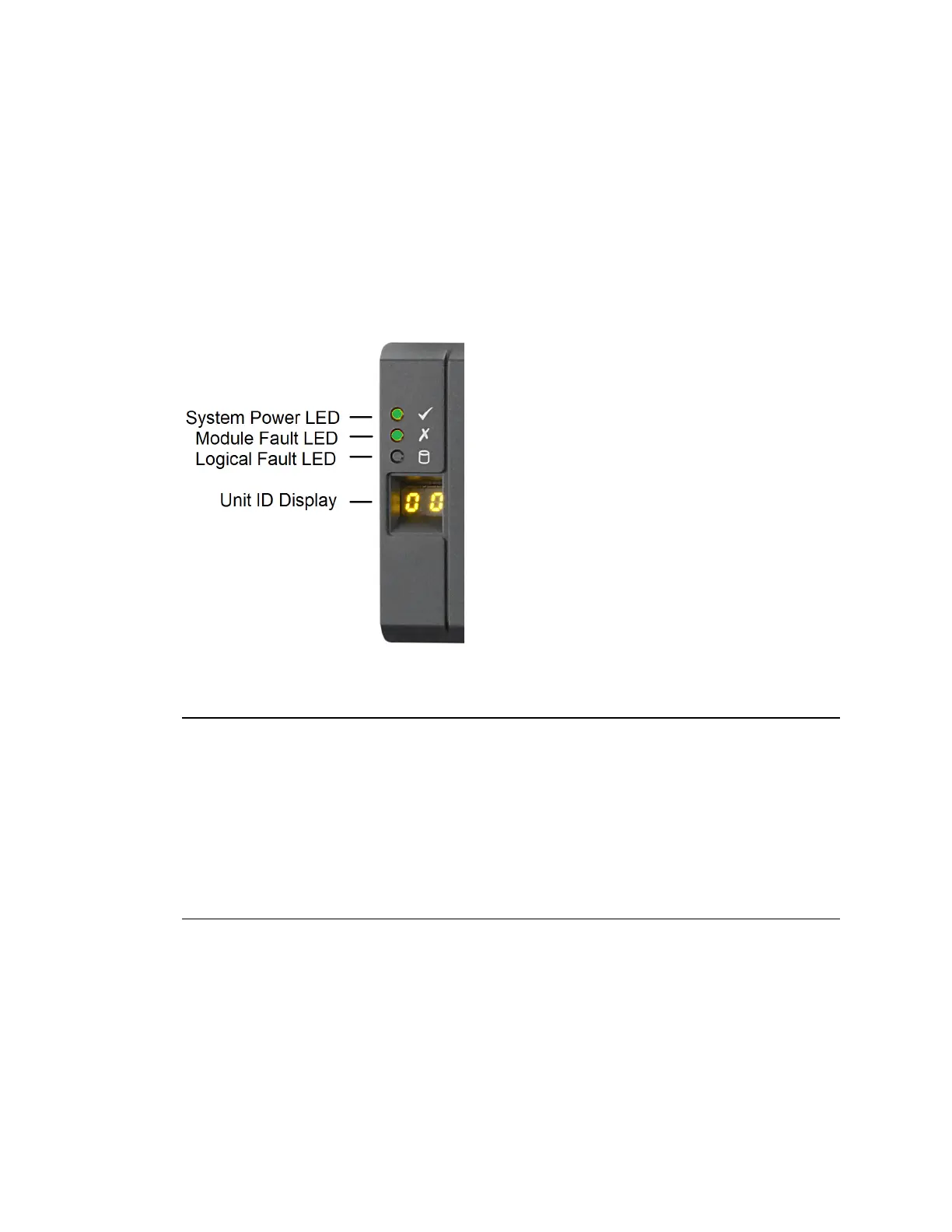
Control Panel for all 2U and 4U Chassis
The following figure shows the control panel on the left side of the chassis on all of the following:
• Avid NEXIS | E2
• Avid NEXIS | E2 SSD
• Avid NEXIS | E4
• Avid NEXIS | PRO
• System Director Appliance
Control Panel Features: All 2U and 4U Chassis
Control Panel Features on all 2U and 4U Chassis
5U Chassis Details
The following systems use a 5U chassis:
• Avid NEXIS | E5
• Avid NEXIS | E5 NL
Description Status/Purpose
System Power LED Green when system is on (operational).
Amber when system is in standby mode (not operational).
Module Fault LED Amber when there is a system hardware fault. In that case, another LED on the faulty
component may be lit.
Logical Fault LED Amber when something other than the enclosure management system (usually a drive)
fails.
Enclosure ID Display Displays the enclosure identification number (optional; useful with multiple enclosure
systems)



 To Next Page