7
EN
1 - INSTALLING THE CAMERA
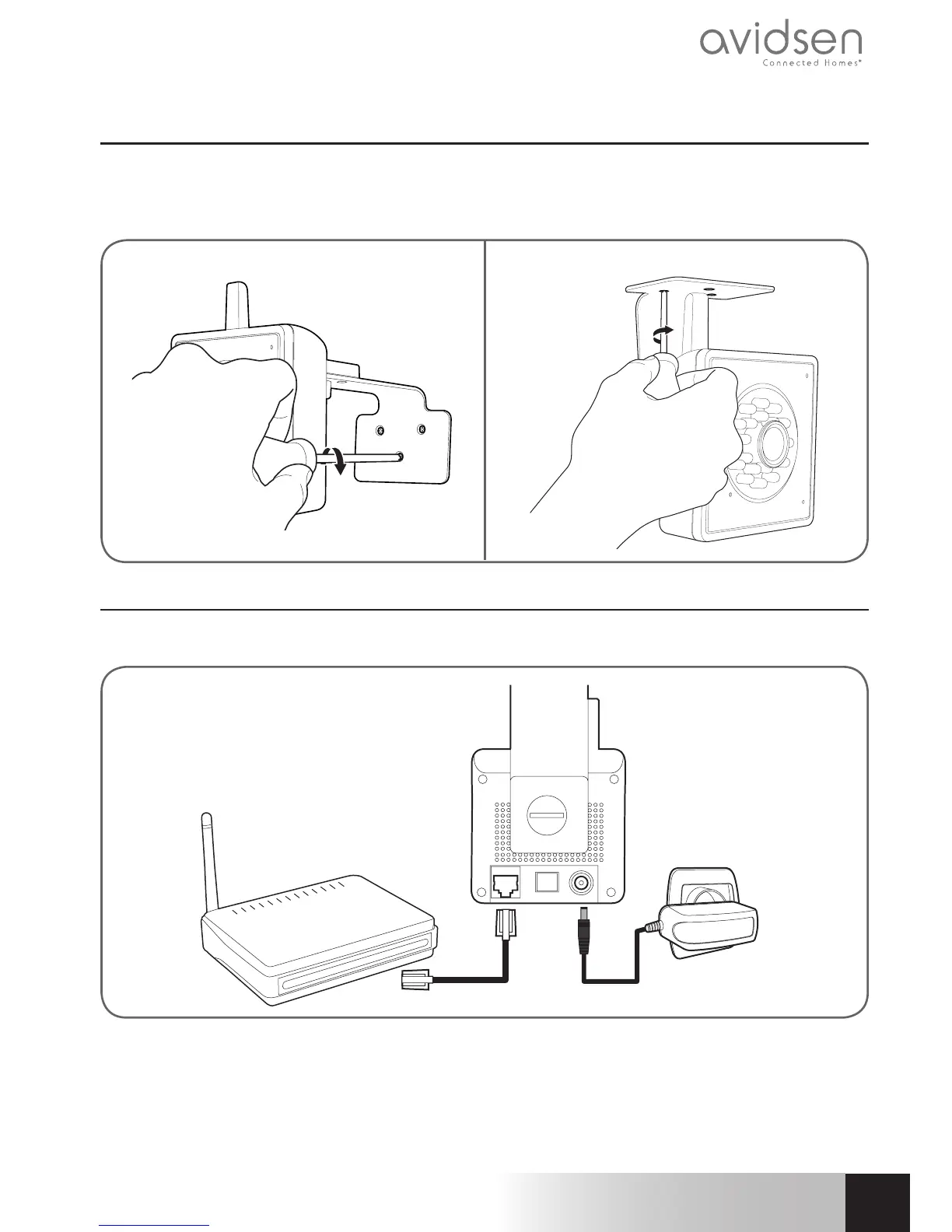
• Mountthecamerausingsuitablescrewsandwallplugsforthetypeofsurface(thescrewsandplugs
suppliedaresuitableforsolidwalls).
• Makesurethecameraisproperlysecuredtopreventitfromfalling.
Wall mounting Ceiling mounting
2 - CONNECTING THE CAMERA
• Awiredconnectioniscompulsorywhenstartingup,evenifyouwishtouseaWiFiconnectionlater.
IMPORTANT:Donotconnectyourcameratoyourcomputer.Thiswillnotprovideitwithaccesstothe
Internet.
ConnectyourcameratotheADSL/breboxusingtheRJ45cableandconnectitspowersupply.
Inmostcases,thecameraisimmediatelydetectedbythemodem/router,which
grantsitaccesstotheInternet.
720P HD WIFI IP CAMERA
C - iNSTALLATiON



 To Next Page