EasyManua.ls Logo

AVIRE Panachrome+ - User Manual

AVIRE Panachrome+
7 pages
Print Icon
To Next Page IconTo Next Page
Loading...
Product Description
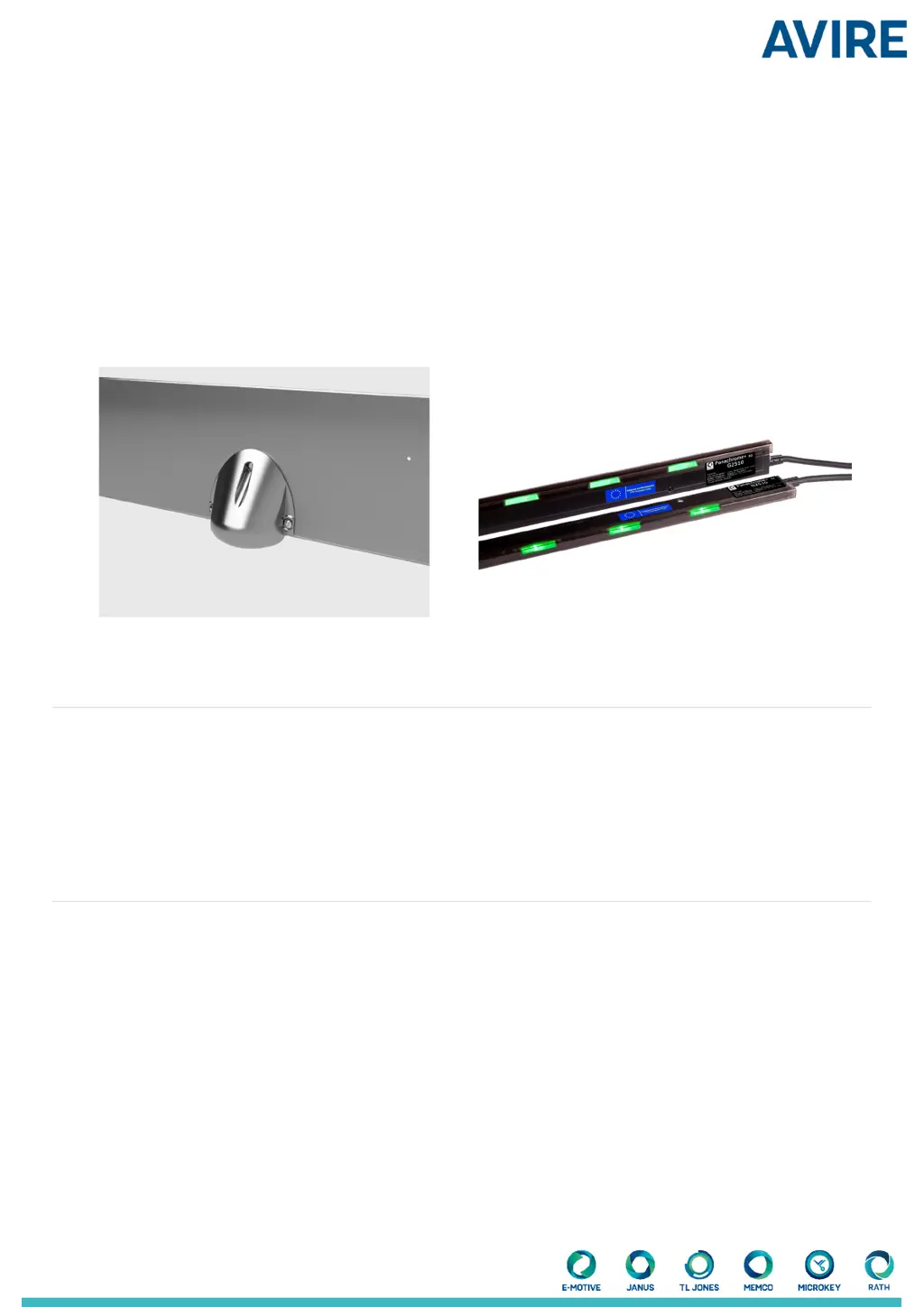
Smart 3D combined with Panachrome+ 2D provides enhanced detection within the elevator environment specically
aimed at 3D detection.
This new Panachrome+ G3851 controller allows for input from the Smart 3D Radar detector to enable an additional trigger
source for 3D detection. The smart Radar sensor is more sensitive to smaller objects, can distinguish cross-trac and
moving targets and is not aected by clothing colors.
Panachrome+ with
Retrot Smart 3D
Installation Guide
Ref No. Smart 3D 850GB Version 2
Items Required for Installation
In the box
+ Smart 3D Sensor and Housing
+ Smart 3D processor (adhesive tape attached)
+ Extension cable
+ 3 x M4 Spanner Head Screws
+ 3 x Pin Torqx Self-tapping Screws
+ 3 Smart 3D inserts (Black 65, Grey 67, and White 70)
+ Grommet for cable hole
Not included
+ Drill
+ 13mm/0.5” Drill bit
+ Screw driver
+ Panachrome+ (G3851) Controller
+ Panachrome+ Edges

Questions and Answers

  • E
    egeorgeAug 11, 2025
    How to fix no 3D detection triggers on my AVIRE Panachrome+ Controller?
    • T
      Thomas RobertsAug 11, 2025
      If the AVIRE Controller isn't triggering 3D detection, first, break the 2D detection plane and retest the 3D to reset the ‘3D Time-out Count’. Next, ensure that the ‘3D Radar’ is set to ‘On’ in the ‘3D’ settings menu of the Panachrome+ controller. Also, check the wiring and connections between the sensor, processing unit, and Panachrome+ controller to ensure continuity. Finally, verify that the Panachrome+ controller is correctly installed and receiving triggers from the Smart 3D sensor. If the display shows 'Un-Triggered' or 'Triggered Smart 3D@XXX XXXX', the controller is receiving triggers.
  • K
    karenhernandezAug 17, 2025
    What to do if my AVIRE Panachrome+ Controller has 3D false triggers?
    • K
      Karen JohnsonAug 17, 2025
      To address false 3D triggers on the AVIRE Controller, first check that ‘3D’ - ‘3D IR Enabled’ is set to ‘Off’ on the Panachrome+ controller. Also, check whether the recommended plastic insert is fitted as per Section 2. If problems persist, try reducing the detection range by fitting either the Grey 67 (smaller detection range) insert or the White 70 (minimum detection range) insert.
  • M
    Melissa MonroeAug 25, 2025
    How to prevent 3D false triggers when doors are closing with my AVIRE Controller?
    • E
      Erika SmithAug 25, 2025
      To mitigate false triggers on door closing with the AVIRE Controller, increase immunity to door triggers by adjusting the 3D radar low distance and 3D radar off distance. It is recommended to use the high immunity values in the event of false triggers when the door is closing. Alternatively, you can increase detection sensitivity on door closing by using the low immunity values, but be aware that this increases the risk of false triggers.
  • D
    Daniel ZimmermanAug 29, 2025
    What to do if AVIRE Panachrome+ door triggering is wider apart?
    • L
      laurabrownAug 29, 2025
      If the AVIRE Controller doors trigger wider apart than 600mm/23.62”, increase the 3D Rdr Low Dist.
  • M
    Mark SnyderSep 4, 2025
    What to do if AVIRE Panachrome+ door triggering is near to close?
    • E
      Eric GutierrezSep 4, 2025
      If the AVIRE Controller doors are triggering near to close, specifically between 420mm/16.54” and 600mm/23.62”, increase the 3D Rdr Off distance.

AVIRE Panachrome+ Specifications

General IconGeneral
BrandAVIRE
ModelPanachrome+
CategoryController
LanguageEnglish

Related product manuals