®2002 Directed Electronics, Inc.
11
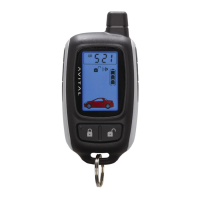
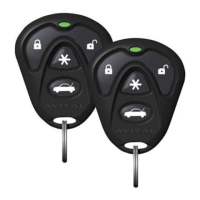
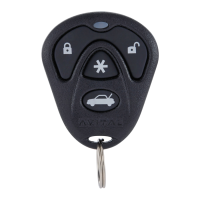
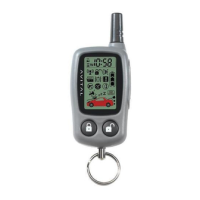
Transmitter Functions
These outputs allow you to add optional remote-controlled acces-
sories to your system such as a remote engine starter, boot
release, window roll-up, garage door opener, or fuel filler door
release. To activate your optional accessories press the correspon-
ding remote control buttons shown below. You can assign any
remote control function to any button sequence. (See
Programming Table for Remote Controls section of this guide.)
Button/Channel Assignment Feature
Button / Channel 1 Arm/Disarm/Panic/Two Stage Unlock
Button / Channel 2 Pulsed Accessory Output (Disarmed Only)
Button / Channel 3 * Silent Arm/Disarm
Button / Channel 4 * Timer Controlled Output
+ Buttons / Channel 5* Pulsed/Latched Accessory Output
+ Buttons / Channel 6 Sensor Bypass
+ Buttons / Channel 7 * Unassigned**
+ Buttons / Channel 8 * Unassigned**
+ Buttons / Channel 9 * Unassigned**
+ Buttons / Channel 10 * Unassigned**
* Only available with 4-button remote.
**Can be assigned to operate any of the first 6 channels on your Maxx
2
or to control other Avital systems and accessories on other vehicles.
Accessory Outputs and Button Assignments



 To Next Page