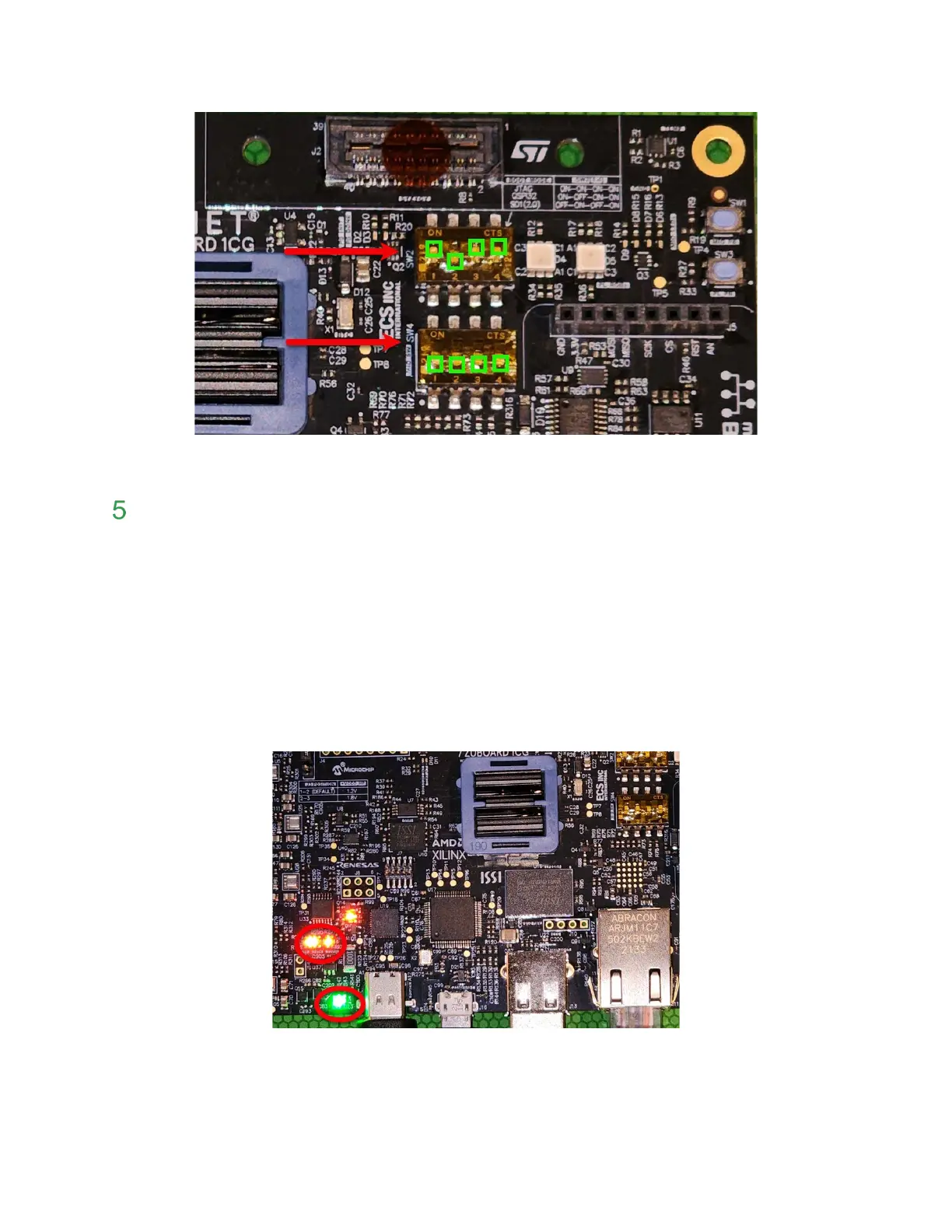
Figure 3 – ZUBoard 1CG Switch Location
Boot FreeRTOS
7. If previously disconnected, plug in the micro-USB cable to the USB-JTAG/UART port.
8. Connect 15V USB C compliant power supply to USB C connector (J15) using USB C
cable. The Power LEDs will illuminate, but the board is not powered on.
• LED D22 (Green) VIN
• LED D16 (Orange) 5V Present
• LED D15 (Orange) 9V Present
• LED D14 (Orange) 15V Present
• LED D17 (Orange) EN SINK
Figure 4 – ZUBoard 1CG Good Power LEDs


 To Next Page