Application
Customizing the SETUP Settings
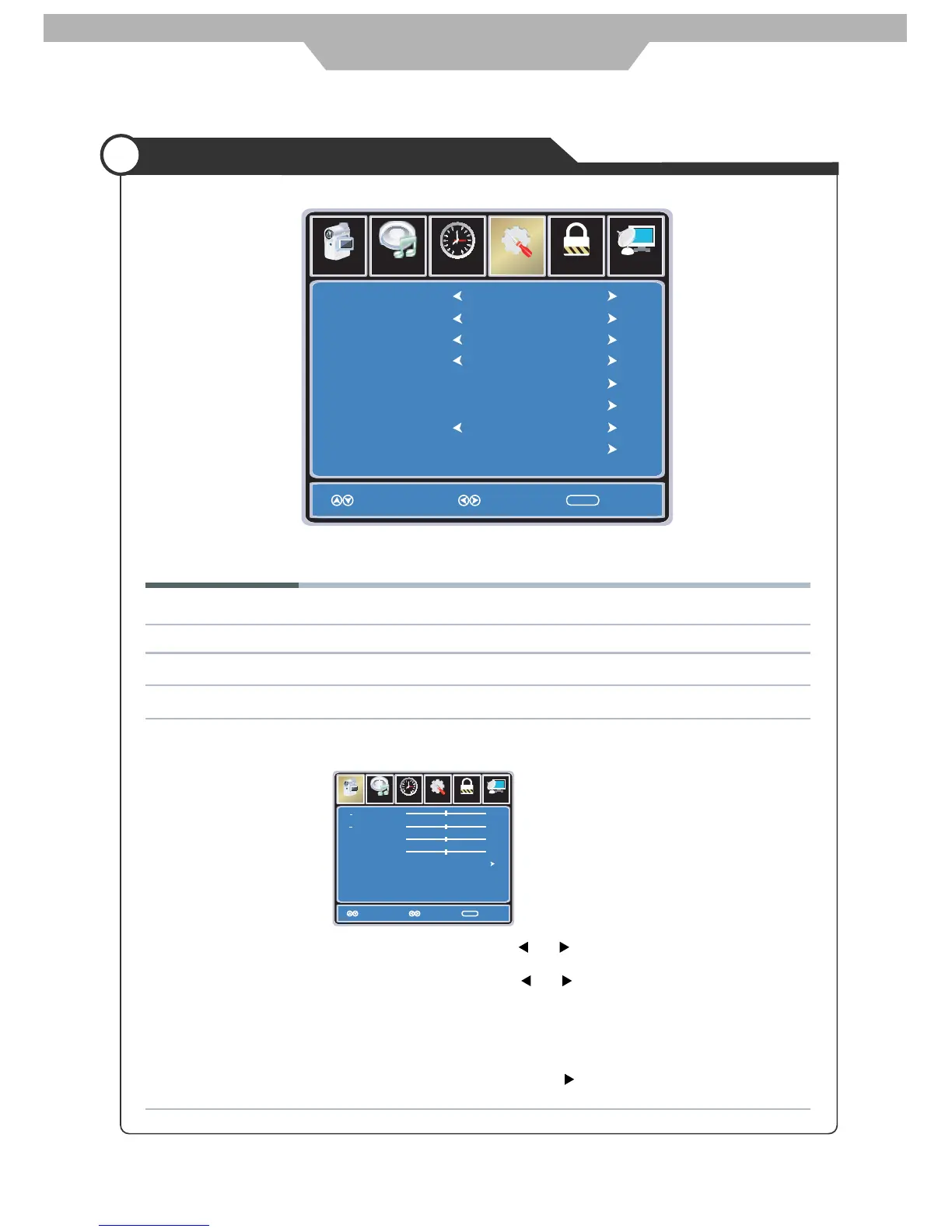
The SETUP menu includes the following options:
Menu Language Allows you to select menu language among: English, Français, Español and Deutsch.
Transparency Allows you to turn on or off the transparency function.
Zoom Mode Allows you to select the zoom mode among: Normal, Zoom2, Wide and Zoom.
Noise Reduction Allows you to select the noise reduction mode among: Strong, Off, Weak, Middle.
PC Setup Input PC signal first, then press TV/AV button to select VGA mode,
press OK button to confirm.
Lock
12
6
Time Channel
Menu Language
Transparency
Zoom Mode
Noise Reduction
PC Setup
Close Capation
XVS
Restore Default
English
Select ExitMove
MENU
Picture
Off
Normal
Off
Off
Setup
Audio
Setup
Lock
12
6
Time
Picture Audio
Channel
HPos
VPos
Clock
Phase
Auto
Move Select
Exit
MENU
50
50
50
0
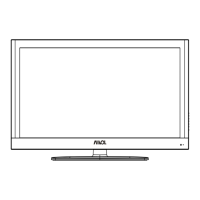
H-Position Allow you to use and button to adjust the H Position.
V-Position Allow you to use and button to adjust the V Position.
Clock Allow you to prolong the image.
Phase Allow you to adjust the definition.
Auto Select “Auto” and press button, the unit will automatically adjust
all items to achieve a best effect.
23


 To Next Page