Installation
12
English
PLC
PLC
1)
2)
3)
4)
5)
6)
7)
8)
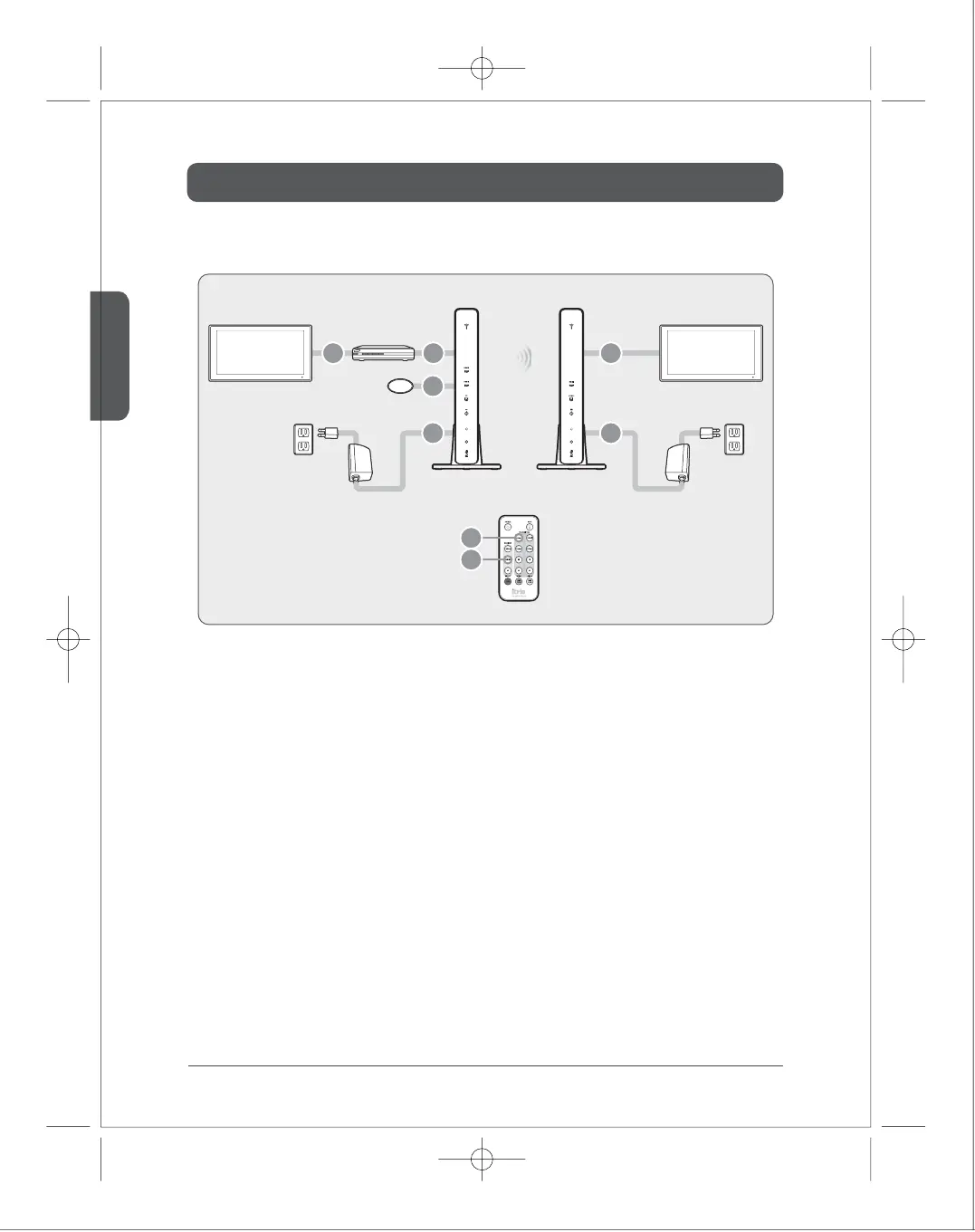
Connect external devices to TV.
Connect external devices to the transmitter through HDMI/COMPONENT/COMPOSITE port.
Attach the IR Flasher in front of IR window of external devices.
Connect the receiver to TV through HDMI/COMPONENT/COMPOSITE port.
Connect the PLC adapter of the transmitter rst. Then, connect the power.
Connect the PLC adapter of the receiver rst. Then, connect the power.
It would takes around 1 min30sec to be turned on.
Select the input port of the transmitter using either remote controller or button on the front of the device after
the system is on.
Select the output port of the receiver using either remote controller or button on the front of the device.
■
PLC product
IR Flasher
External Device
TV1 TV2
Transmitter Receiver
12 4
3
7
8
5
6



 To Next Page