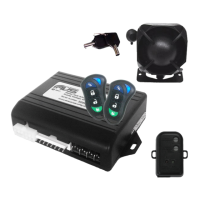
Panic/car finder
1. Ensure the car ignition is off.
2. Press the right button on the remote.
3. The indicators will flash and the siren will sound.
4. An SMS will be sent to all the programmed mobile phone
numbers (up to five):
Example: PANIC ALERT!
5. Cancel panic by pushing the right button again.
Status report
The status report SMS lists the alarm state, phone signal strength
and car battery level.
1. Type your PIN code and STATUS
Example: 000000STATUS
2. You will receive a SMS reply with the alarm state:
Example: ALARM ARMED. PHONE SIGNAL GOOD. CAR
BATTERY GOOD.
Low car battery warning
The alarm will send an SMS to all the programmed mobile phone
numbers (up to five) if your car battery’s voltage reaches a critical
level. This message will only be sent once in a low battery
condition.
Example: BATTERY LOW WARNING
If your keys are locked in the car
If your keys are locked in the car simply arm the alarm then disarm
it by SMS. The doors will unlock (if central locking is installed)
allowing you in to the vehicle.



 To Next Page