INITIAL SETUP (CONT.)
Quick Settings
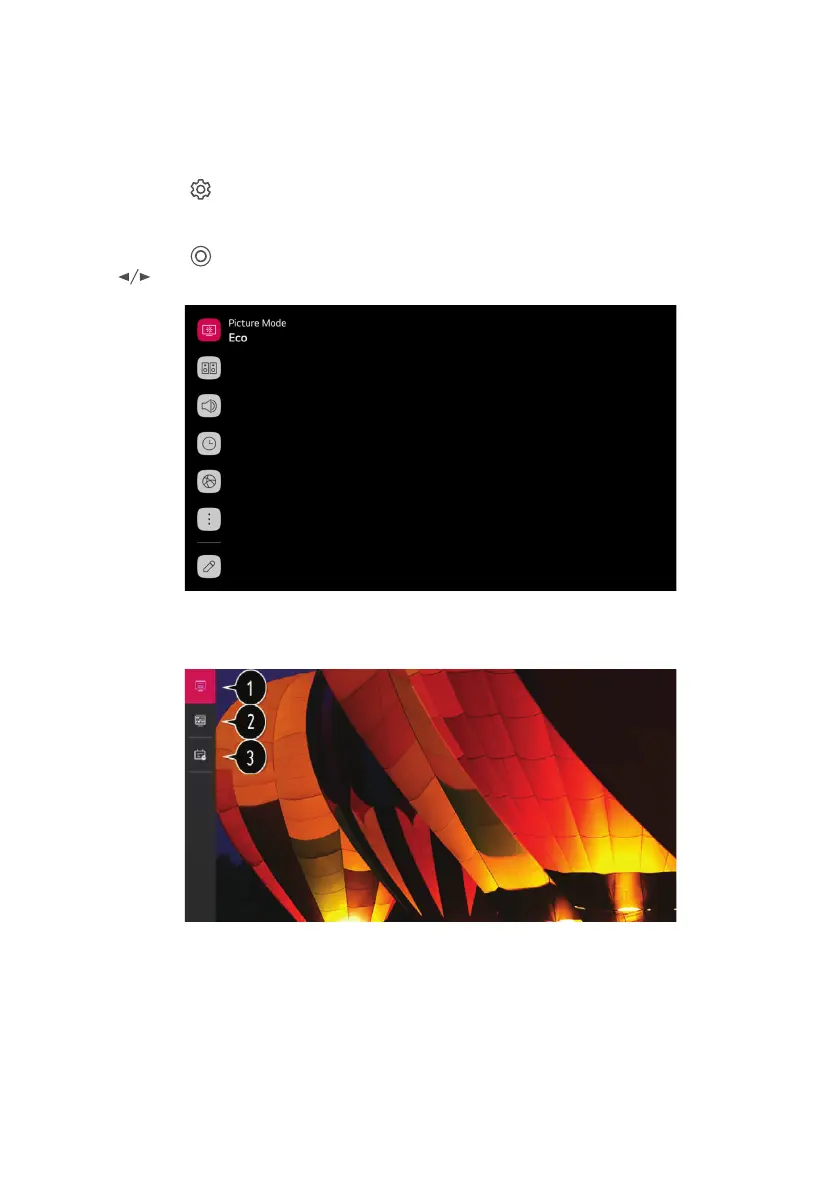
Press the ( ) button on the remote control, the screen will display a quick setting menu,
such as picture mode, sound mode, sleep timer, etc.
You can add/delete the quick setting items or change their order. After entering each item,
press the
( ) button on the remote control to go to the corresponding menu. Press
button to select the option.
Using Live Menu
You can use the relevant features with ease when watching TV broadcasts. Press the LIST
button on the remote control.
1. Programmes: View a list of broadcast content that is currently being broadcast.
2. Guide: You can view programmes and the schedule of each programmes.
3. TV Scheduler: You can enter the time and date of a programme to schedule watching or
recording it at the set time.
14



 To Next Page