SMART HOME
Home Tutorial
Using the home feature of the webOS TV
You can open the home screen by pressing the HOME button on your remote control.
Manage Home
Manage webOS TV Home.
You can view a list of all apps installed on your TV, change their positions, or delete them.
You can perform the operations you want according to the prompt information on the TV
screen.
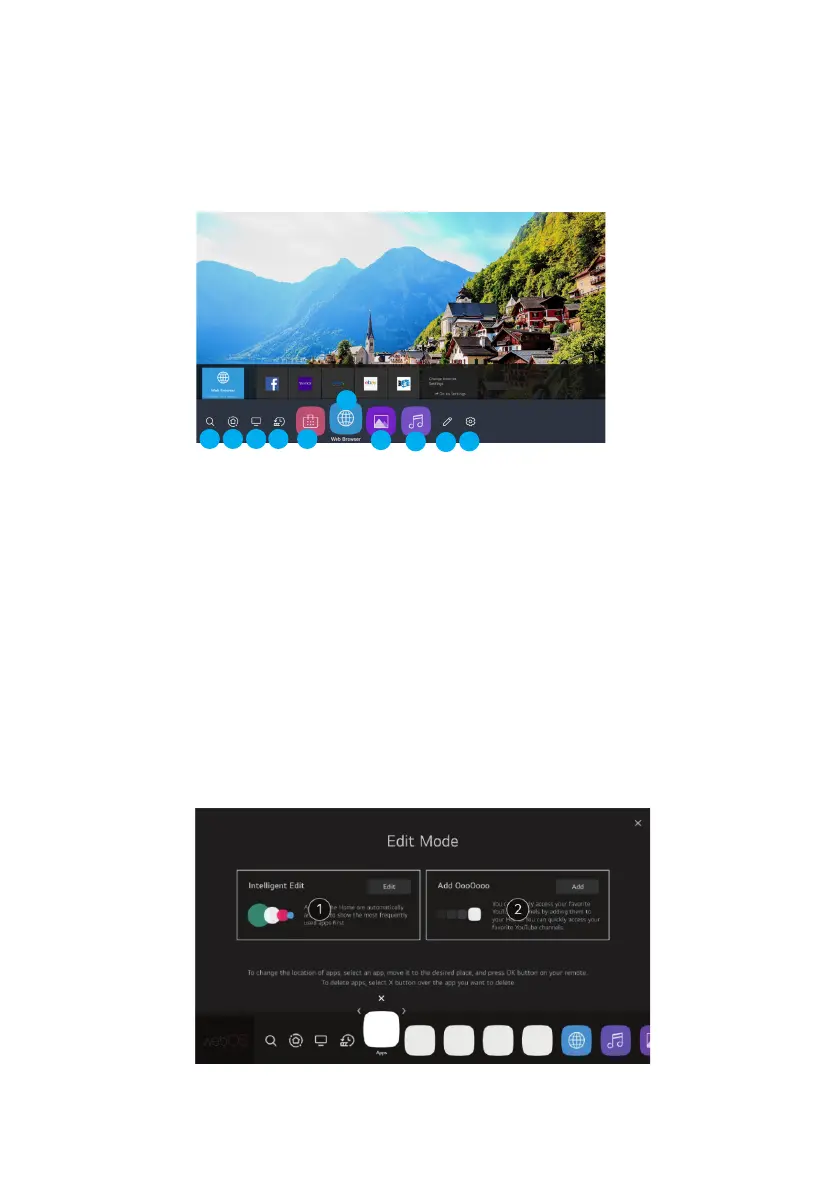
1. Enter the search menu. Search for a variety of content and information using the desired
search terms. Need to make sure the network connection is normal
2. Move To The Home Dashboard.
3. Move to the TV input you used recently.
4. Move to the recently used app.
5. Move to the the APP store.
6. Move to the Browser.
7. Move to the Picture and video playback menu.
8. Move to the Music playback menu.
9. Move to the Edit menu.
10. Move to the Settings menu.
1 2 3 4 5
6
7
8
9
10
15



 To Next Page