EasyManua.ls Logo

Awox SMLm-c9-E27 - User Manual

Awox SMLm-c9-E27
60 pages
Print Icon
To Next Page IconTo Next Page
Loading...
AwoX S.A.
93, Place Pierre Duhem 34000 Montpellier, France
www.awox.com support@awox.com
AwoX Confidential Document – Do not copy
User Guide
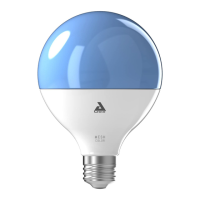
LED Bulbs Bluetooth Mesh
SMLm-c9-E27
SKRLm-c9-E27
SKR2Lm-c9-E27
SMLm-c13g-E27
A
A
w
w
o
o
X
X

Table of Contents

Questions and Answers

  • E
    Elizabeth JohnsonAug 3, 2025
    Why can't I pair my Awox SMLm-c9-E27 Home Lighting remote control with the bulb?
    • H
      Heather CarterAug 3, 2025
      If you're having trouble pairing your Awox Home Lighting remote control and light bulb, there are a few potential reasons. First, ensure that neither the bulb nor the remote control is already associated with the application. If they are, you will need to disassociate them. Also, check if the light bulb is connected to another remote control. If so, disassemble them. If none of these apply, try resetting both the remote control and the bulb.
  • R
    Rebekah NashAug 11, 2025
    How to reset Awox SMLm-c9-E27 Home Lighting bulb?
    • S
      smithchloeAug 11, 2025
      To reset your Awox Home Lighting bulb: 1. If possible, set your bulb to white (either hot or cold). 2. Ensure the light bulb is off (electrical OFF, not via remote or app). 3. Briefly turn it on (1 second) and then off. 4. Wait for 6 seconds. 5. Repeat steps 3 and 4 two more times. 6. Turn it on for 12 seconds, then off. 7. Wait for 6 seconds. 8. Turn it on for 12 seconds, then off. 9. Wait for 6 seconds. 10. Turn it on. The bulb should flash green, indicating a reset, and then return to its initial red state.
  • B
    Brian RodriguezAug 18, 2025
    What to do if I want to unpair Awox SMLm-c9-E27 Home Lighting remote and a bulb?
    • S
      Susan GarciaAug 18, 2025
      To unpair your Awox Home Lighting remote and bulb, first turn on the bulb(s) you wish to disassociate from the remote. If needed, turn off any bulbs you want to keep paired. Within 15 minutes, simultaneously press the ON and FAVORITE button on the remote control for at least 3 seconds. The light bulb will flash and turn red, indicating it has been unpaired.
  • M
    Meghan WellsAug 26, 2025
    What to do if my Awox SMLm-c9-E27 Home Lighting bulb does not respond to the remote control?
    • T
      Thomas ClarkAug 26, 2025
      If your Awox Home Lighting bulb isn't responding to the remote control, try electrically disconnecting the lamp and then reconnecting it. This can often resolve responsiveness issues.

Summary

Pack bulbs(s) + remote control

Pack standalone bulb

Associate Bulb with the App

Steps to connect and associate your standalone light bulb with the Awox Smart Control app.

Adding a remote control

Add Remote to Group Already Controlled by Another

Process for adding a second remote control to a group already managed.

Basic functions

Light Control Functions

Detailed guide on controlling light color, brightness, themes, and sequences.

Troubleshooting

Cannot Pair Remote Control with Bulb

Steps to resolve issues when the remote control fails to pair with the light bulb.

Bulb Not Responding to Remote

Troubleshooting steps if the light bulb is unresponsive or intermittently responds to the remote.

Resetting Devices

Guide on how to reset a light bulb and a remote control to factory settings.

Awox SMLm-c9-E27 Specifications

General IconGeneral
Socket TypeE27
Wattage9W
Luminous Flux806 lm
Color Temperature2700K
ConnectivityBluetooth
DimmableYes
Energy Efficiency ClassA+
Voltage220-240V
Frequency50/60 Hz
TypeLED
Control MethodApp, Voice
Lifespan25, 000 hours

Related product manuals