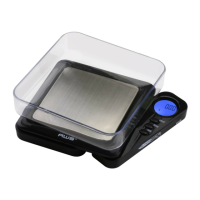
BLADE Scale
4. Once the weight is accepted, the display will show
“PASS” then return to normal operation.
IX. Troubleshooting
• Problem: Scale will not turn on
• Solution: Check the batteries
• Problem: Displayedweightuctuatesrandomly
• Solution: Make sure your workspace is stable and
free of any air currents or vibration
• Problem: Displayed weight is inaccurate
• Solution: Perform a calibration adjustment
X. Error Codes
1. OUTZ - Zero range has shifted. Perform calibration
adjustment. If the problem persists, the load cell may
be permanently damaged due to overloading.
2. O-Ld - Maximum capacity exceeded. Remove the
extra weight to avoid damaging the load cell.
3. L - Batteries are low. Replace the batteries.


 To Next Page