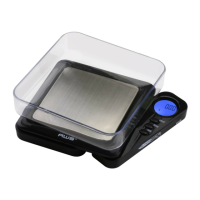
Matchbox Manual
Low batteries can cause inaccuracies in digital scales. If
youareexperiencingissueswithyourscale,rsttrynew
batteries. Most times, this will solve the problem.
1. Beforeusingthescaleforthersttime,check
the battery compartment and remove any plastic
insulation strips or packaging that may be in place to
prevent battery drainage during shipping/storage.
2. If you are replacing the batteries, make sure the
positive and negative contacts are properly aligned.
IV. Operation
1. Placethescaleonaat,levelsurfaceandpressthe
ON/OFF key to turn the scale on.
2. Once the start-up process completes and the scale
goestozeroyouarereadytoweigh.
3. Place the quantity to be weighed onto the weighing
platform.
4. Waitacouplesecondsforthedisplaytostabilize
before taking a weight reading.
5. To turn the scale OFF, press the ON/OFF key again.
V. Changing the Unit of Measure
1. Press and hold the TARE/MODE key to change the
scales displayed unit of measure.
2. If the scale is turned off then back on, it will default
to the last unit used.
• MB-100 & MB-650 Units: g (gram) oz(ounce)
ozt(troyounce) dwt (pennyweight) ct (carat)
gn (grain)
VI. Using the Tare Feature
You can use this scale’s tare feature to subtract the weight


 To Next Page