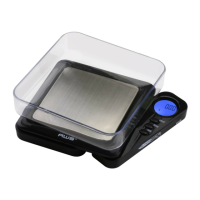
Matchbox Manual
Model Acceptable
Tolerance (±)
Calibration
Weight
Recommended
Accuracy Class
MB-100 0.02g 100g OIML M2
MB-650 0.2g 500g OIML M2
VIII. Adjustment
1. With the scale ON, press and hold the ON/OFF
button to enter calibration mode.
2. TheLCDwillash“CAL”followedbytherequired
calibration weight (see chart above).
3. Place the required weight on the center of the scale
platform.Thedisplaywillash“F”thenreturnto
normal weighing. Adjustment is complete!
NOTE: Adjustment using the incorrect mass will
result in inaccurate readings. Only use listed weight.
IX. Troubleshooting
• Problem: Scale will not turn on
• Solution: Check the batteries and battery contacts.
• Problem: Displayedweightuctuatesrandomly
• Solution: Make sure your workspace is stable and
free of any air currents or vibration. In some cases,
nearby radio wave emitting devices can cause
uctuations.
• Problem: Displayed weight is inaccurate
• Solution: Perform a calibration adjustment. If
you are still having trouble, contact our warranty
department.


 To Next Page