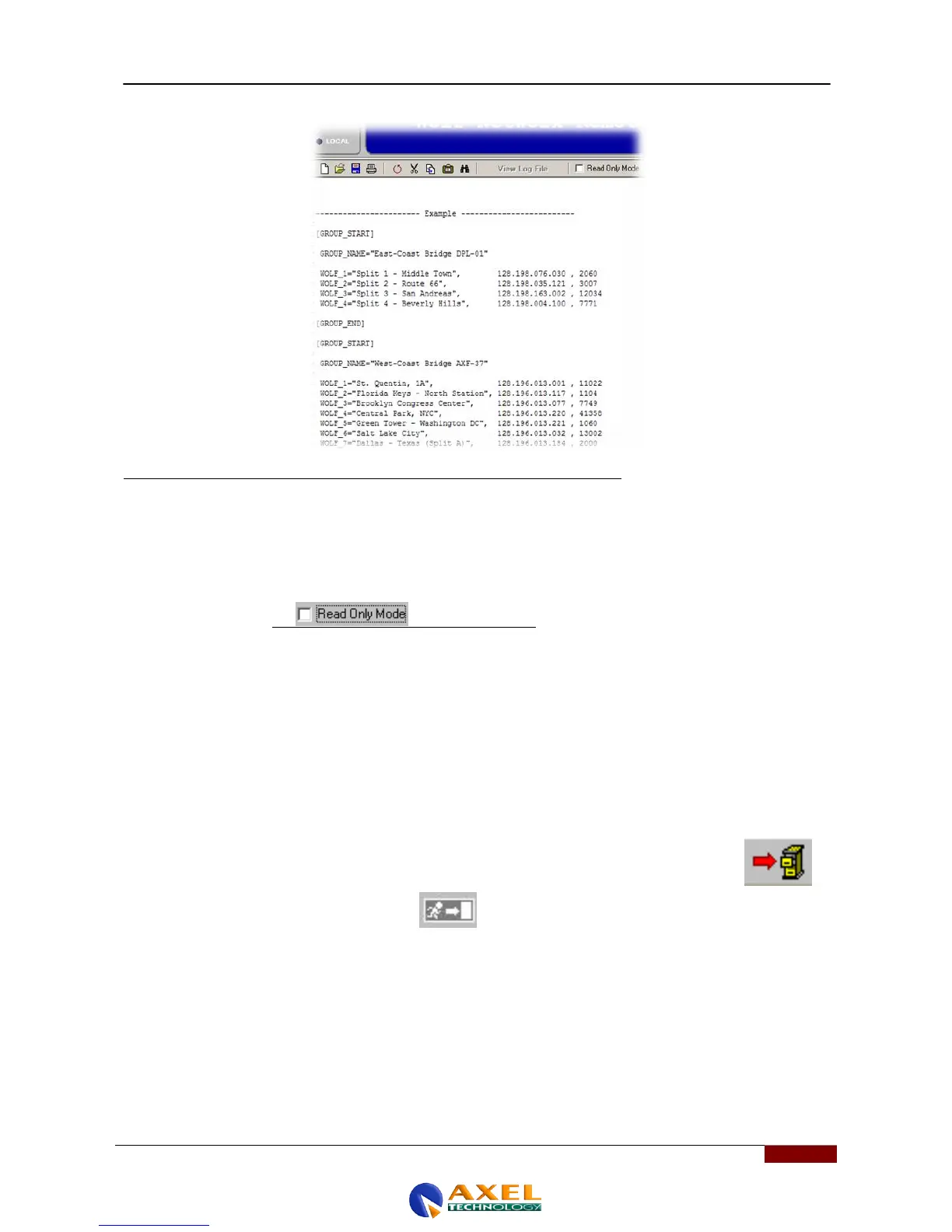
EXAMPLE
For example, if you're connecting to three units, two from one group and one from another:
A Wolf with the address 128,198,076,030, assigned port 2060 and name Split 1- Middle Town belonging to the group
"EAST-Coast Bridge DPL-01"
A Wolf with the address 128.198.035.121, assigned port 3007 and name Split 2 - Route 66 belonging to the group
"EAST-Coast Bridge DPL-01"
And so on until all the devices you want the Wolf Network to control have been entered.
You will have to uncheck the box and edit the lines
If you only want to control a single Wolf Network device, and this device has been entered into your LAN network,
proceed as follows:
1.Enter the Group_Name as a mnemonic name that refers to the device (in the example: Wolf Network-1)
2.Enter the name of the device as the name in WOLF_1 (in the example : Wolf Network -1)
3. Enter the target IP of the Wolf Network previously assigned with Wolf Address Manager and the port.
4. If not used, you can also delete the other Wolf connection parameters that do not exist in your network.
5.Once the IP address and relative ports have been entered, save them by clicking and accepting the change of data
base.
6.Close the Configuration Editor by clicking on and return to the ComChannel settings .
;[GROUP_START]
;
; GROUP_NAME="Wolf Network-1"
;
; WOLF_1="Wolf Network-1", 192.168.099.065 , 1327
;
;[GROUP_END]
Click OK to confirm, or ESC to quit without saving.



 To Next Page