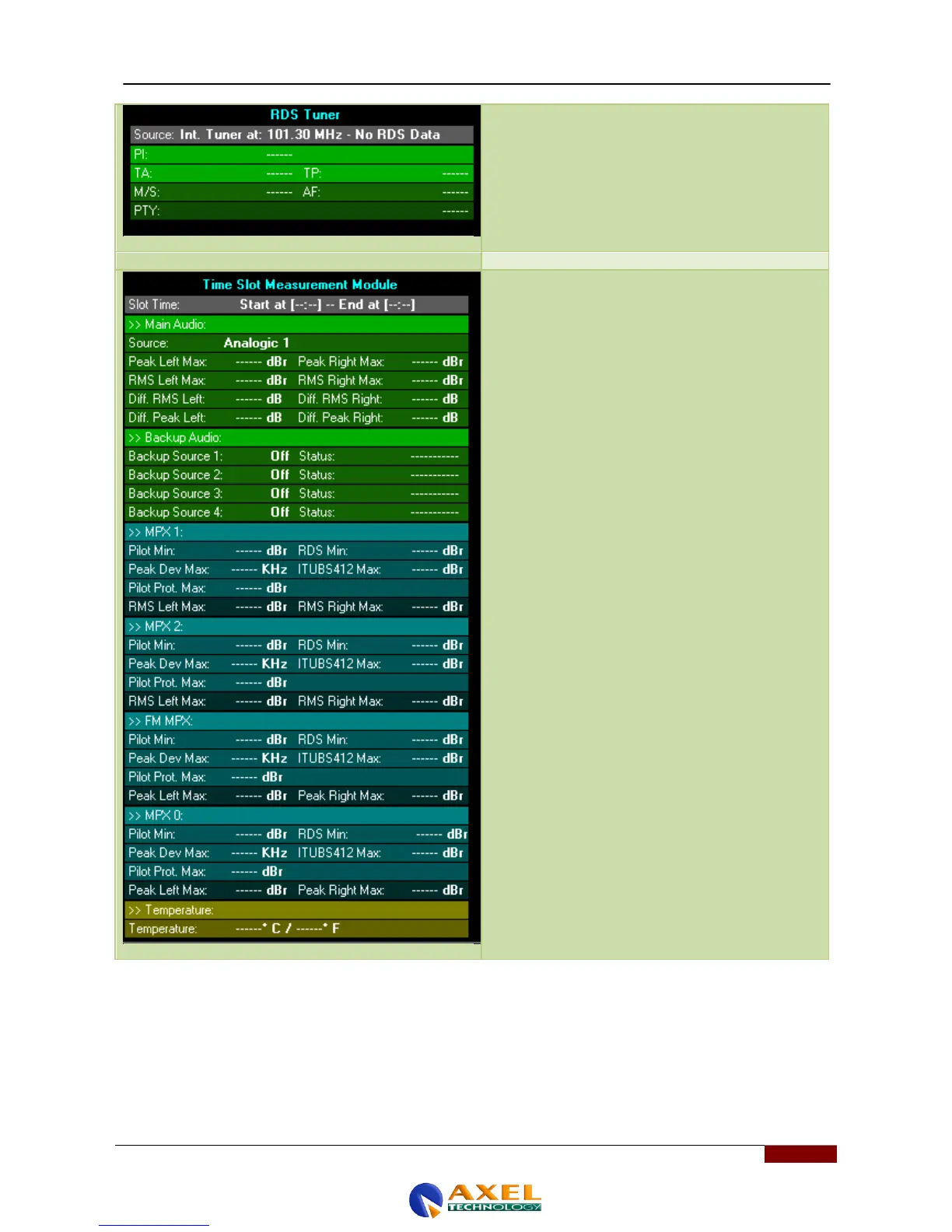
Unlike the case shown above, the RDS tuner with the
source set to "Internal Tuner at .." displays the Radio
Data System service parameters that come from the
Wolf device‟s internal tuner, set to a user-settable
frequency. To set this value (frequency expressed as
MHz), see the previous section (parameter 106)
In this panel, you can see the last slot of measurements
made on a variety of audio sources entering the Wolf
Network device. Each measurement slot is 10 minutes
in length and the data is stored inside the Wolf Network
for a given period (usually 1 year) then automatically
deleted or sent via network to the Wolf Ranger or
Manager application. Ranger then collects all the data
received from the various devices, such as the Tiger
Shark, the Wolf Network and all SNMP devices
connected to generate reports, statistics and alarms.
The Wolf Network Remoter screen to the left, also
provides a device operation summary, as the Main
Audio is shown with the Source and the relative
measurements and the various Backup Audios with their
Statuses (Green Area)
As far as the rest of the measurements of the MPX-1,
MPX-2, FM MPX and MPX-0 are concerned, there are
various parameters visible in this area too (blue area).
Enabling the display and setting the trigger threshold
values are both possible using the WOLF NETWORK
CONFIGURATION IMPORT/EXPORT FILE option
outlined in the previous section. Last of all, the
temperature is shown, and as for the above parameters,
you can set the trigger thresholds to apply in the event
that the value exceeds certain limits.



 To Next Page