68
5. BASIC OPERATION
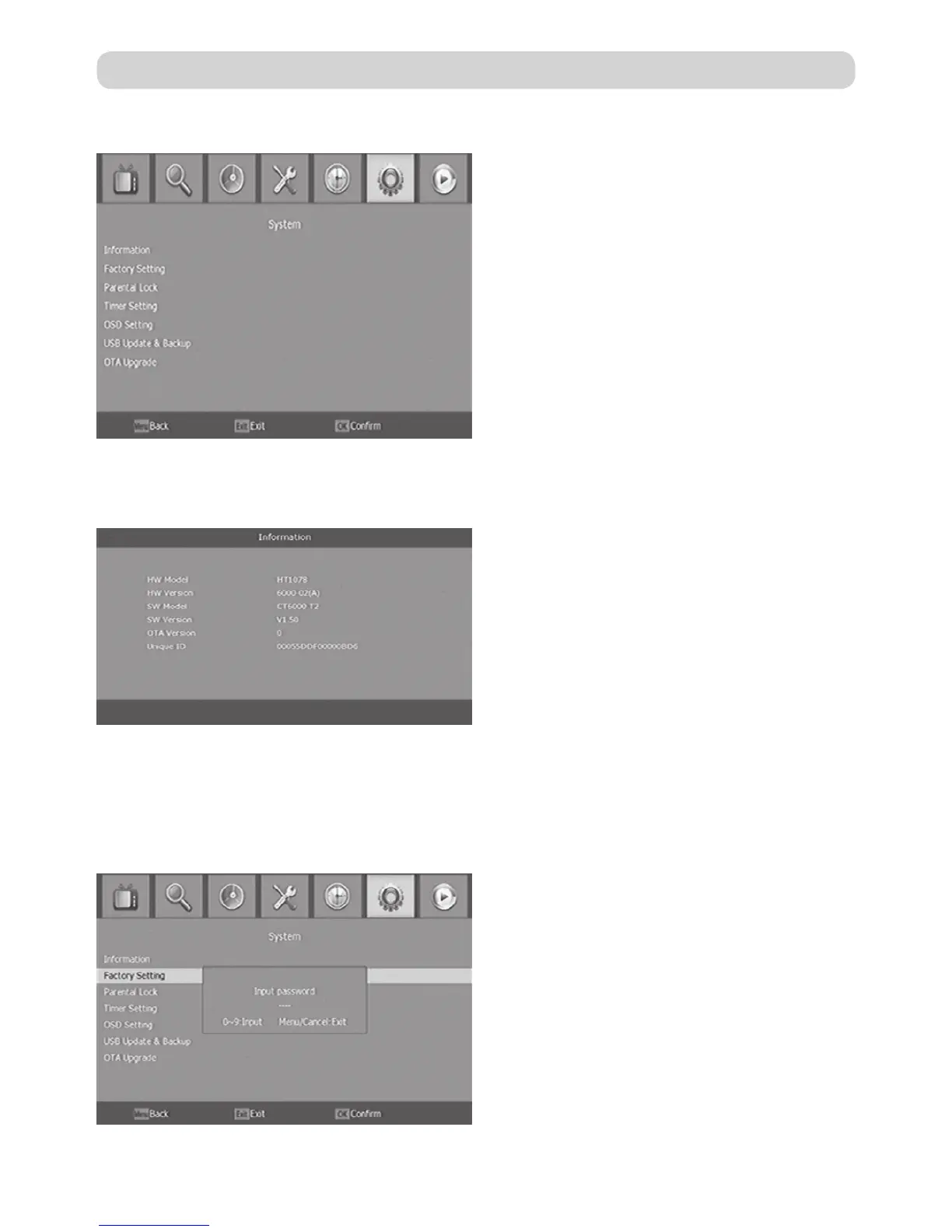
5.6. System
Select “System” in the Main Menu to
enter the Tools menu which contains 6
submenu items: Information, Factory
Setting, Timer Setting, OSD Setting, USB
Upgrade and OTA Upgrade.
5.6.1. Information
View model, hardware and software information.
5.6.2. Factory Setting
Reset your set top box to the default factory settings. Enter your password or the default
password “0000” and press OK to confirm. This option will delete all preset channels and
settings.


 To Next Page