gf11
Configure the AXIS Network Video Doorstation for the CyberGate serviceCyberTwice
11
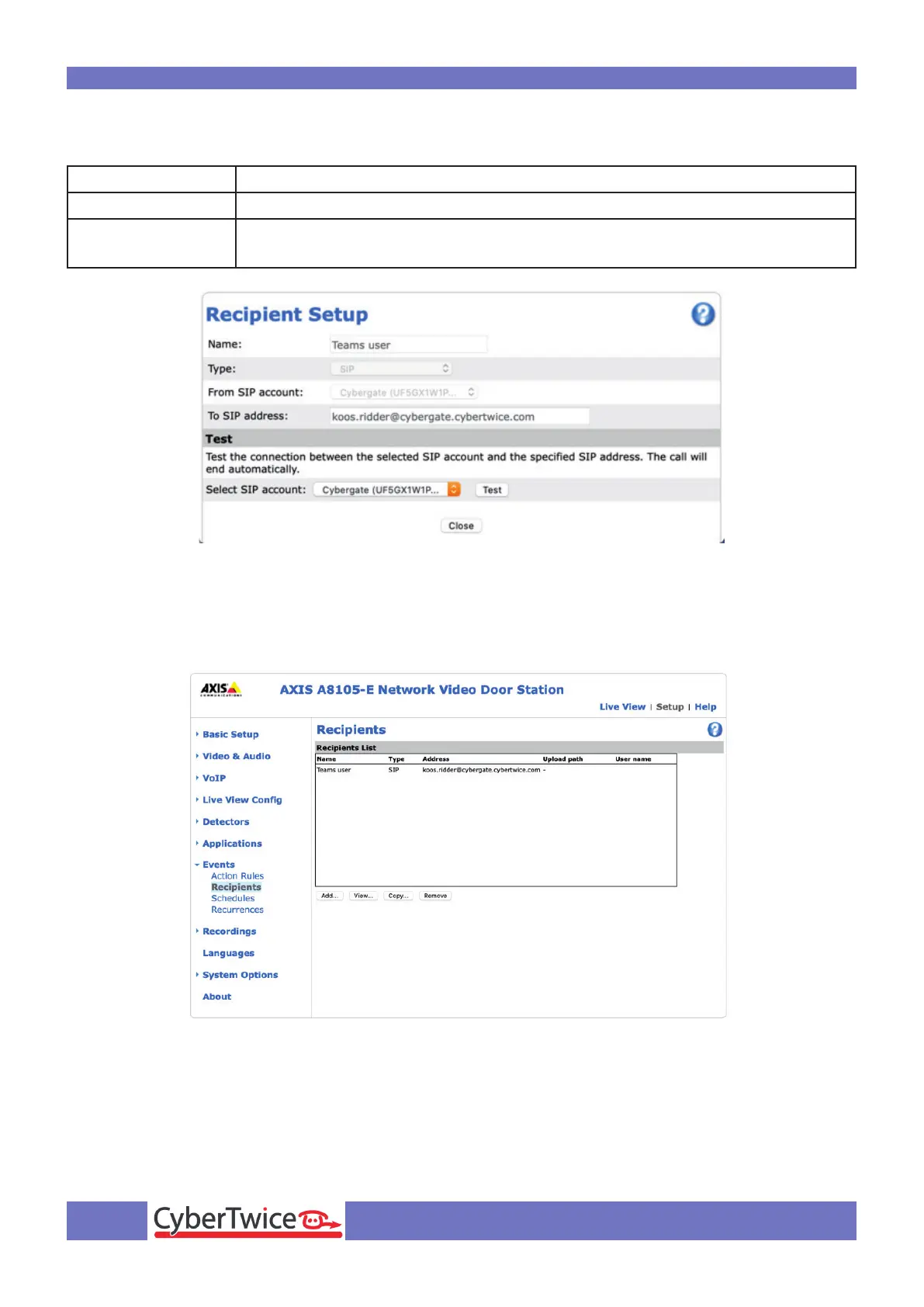
Provide the following information:
Name Name of the recipient, in this example ‘Teams User’
Type Select ‘SIP’
To SIP address Use the Teams user address with after the @ cybergate.cybertwice.com
instead of your own domain. (name.name@cybergate.cybertwice.com)
Click the Close button.
The recipient is added



 To Next Page