gf6
Configure the AXIS Network Video Doorstation for the CyberGate serviceCyberTwice
6
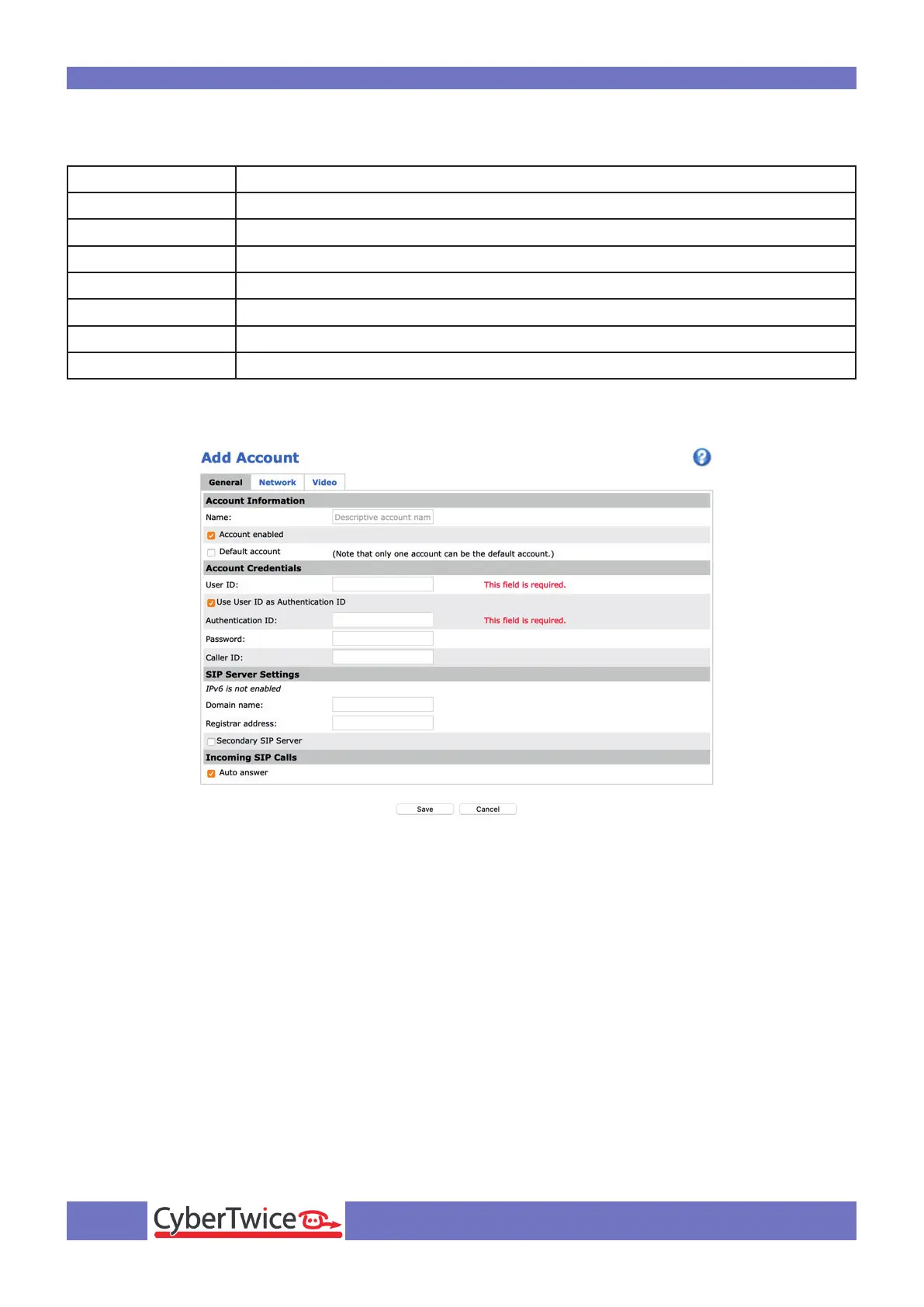
Provide the following information:
Name Name of the SIP account, in this example ‘CyberGate’
Default account Enable by checking the checkbox
User ID Use the Username provided by the CyberGate service
Authentication ID Will be the same as the User ID
Password Use the Password provided by the CyberGate service
Caller ID Use the Username provided by the CyberGate service
Domain name Use the domain name of your organisation
Register address cybergate.cybertwice.com
Click the Save button to confirm.



 To Next Page