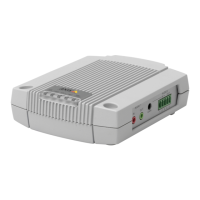
AXISA9188NetworkI/ORelayModule
IfyournetworkdoesnothaveaDHCPservertheAxisproductwilluse192.168.0.90asthe
defaultIPaddress.
RecommendedMethodsinWindows®
AXISIPUtilityandAXISCameraManagementarerecommendedmethodsforndingAxis
productsonthenetworkandassigningthemIPaddressesinWindows®.Bothapplicationsarefree
andcanbedownloadedfromwww.axis.com/techsup
AXISIPUtility–SmallInstallations
AXISIPUtilityautomaticallydiscoversanddisplaysAxisproductsonyournetwork.Theapplication
canalsobeusedtomanuallyassignastaticIPaddress.
NotethatthecomputerrunningAXISIPUtilitymustbeonthesamenetworksegment(physical
subnet)astheAxisproduct.
AutomaticDiscovery
1.CheckthattheAxisproductisconnectedtothenetworkandhaspoweredup.
2.StartAXISIPUtility.
3.WhentheAxisproductappearsinthewindow,double-clicktoopenitswebpages.
4.Forinformationabouthowtosetthepassword,seepage20.
AssigntheIPAddressManually(optional)
1.AcquireanavailableIPaddressonthesamenetworksegmentasyourcomputer.
2.SelecttheAxisproductinthelist.
3.ClickAssignnewIPaddresstoselecteddevice
andentertheIPaddress.
4.ClickAssignandcontinueaccordingtotheinstructions.
5.WhentheAxisproductappearsinthewindow,double-clicktoopenitswebpages.
6.Forinformationabouthowtosetthepassword,seepage20.
AXISCameraManagement–LargeInstallations
AXISCameraManagementisapowerfulinstallationandmanagementtoolforAxisnetwork
products.Thetoolcanautomaticallysearchthenetworkfordevices,assignIPaddresses,set
passwords,showconnectionstatus,managermwareupgradesandcongureproductparameters.
Itcanperformbatchoperationsonmultipleproductsatonce.
AutomaticDiscovery
1.CheckthattheAxisproductisconnectedtothenetworkandhaspoweredup.
17



 To Next Page