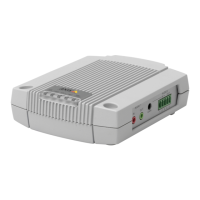
AXISA9188NetworkI/ORelayModule
2.StartAXISCameraManagement.
3.Connecttoaserver.
Toconnecttoaserveronthenetwork,selectRemoteserverandselectaserverfromthe
drop-downlistorentertheIPorDNSaddressintheeld.
Toconnecttoaserverrunninglocallyonyourcomputer,selectThiscomputer.
4.ClickLogOntologonasthecurrentcomputeruser,orde-selectLogonascurrentuser
andentertheusernameandpasswordtologonwith.
5.ThersttimeAXISCameraManagementrunsitautomaticallysearchesforAxisproducts
onthenetwork.Tomanuallysearchforproducts,selectConguration>AddDevices.
Thesoftwaredisplaysalistoftheproductsfound.
SelecttheproductstoaddandclickNextandthenclickFinish.
6.Inthelistofdevices,clickontheaddresstoopentheproduct’swebpages.
7.Forinformationabouthowtosetthepassword,seepage20.
AssignIPAddressesinMultipleDevices
AXISCameraManagementspeedsuptheprocessofassigningIPaddressestomultipledevicesby
suggestingIPaddressesfromaspeciedrange.
1.Selectthedevicesyouwishtocongure(differentmodelscanbeselected)andclick
AssignIPaddresstoselecteddevices
.
2.ClickYesintheDeviceMaintenancedialog.
3.SelectAssignthefollowingIPaddressrangeandentertheIPaddressrange,subnet
maskanddefaultrouterthedeviceswilluse.ClickNext.
4.SuggestedIPaddressesarelistedunderNewIPAddressesandcanbeeditedbyselecting
adeviceandclickingEditIP.
5.ClickFinish.
OtherOperatingSystemsandMethods
ThelistbelowshowstheothermethodsavailableforassigningordiscoveringtheIPaddress.All
methodsareenabledbydefault,andallcanbedisabled.
•AVHSServiceConnection(alloperatingsystems).ToconnecttoanAVHSservice,refer
totheserviceprovider’sInstallationguide.Forinformationandhelpinndingalocal
AVHSServiceProvider,gotowww.axis.com/hosting
•AXISCameraStation5(Windows®).Forinformationandhelp,gotowww.axis.com/vms
•UPnP™(Windows®).Whenenabledonyourcomputer,theAxisnetworkproductis
automaticallydetectedandaddedtoNetwork/MyNetworkPlaces.
•Bonjour(MacOSX®10.4orlater).ApplicabletobrowserswithsupportforBonjour.
NavigatetotheBonjourbookmarkinyourbrowser(forexampleSafari)andclickon
thelinktoaccessthewebpages.
18



 To Next Page