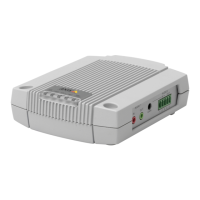
AXISA9188NetworkI/ORelayModule
4.Collectallthewiresneatlyandsecurethem.
5.Labelthecablesforfuturereference.
6.IfusingPoweroverEthernet,connectthenetworkcabletothenetwork.
7.MakesurethattheLEDsindicatethecorrectconditionsandthatnoneoftheovercurrent
LEDsarelit.Seeonpage13.
AccesstheProduct
Howtoaccesstheproductfromabrowser
1.Startawebbrowser.
2.EntertheIPaddressorhostnameoftheAxisproductinthebrowser’saddresseld.
IfyoudonotknowtheIPaddress,useAXISIPUtilitytolocatetheproductonthenetwork.
ForinformationabouthowtodiscoverandassignanIPaddress,seeAssignanIPAddress.
Thisinformationisalsoavailablefromthesupportpagesatwww.axis.com/support
Note
ToshowBonjourasabrowserbookmark,gotoSafari>Preferences.
3.Enteryourusernameandpassword.Ifthisisthersttimetheproductisaccessed,the
rootpasswordmustrstbecongured.
4.AXISI/OManageropensinyourbrowser.ThestartpageiscalledtheDashboard.
HowtoaccesstheproductfromtheInternet
Onceconnected,theAxisproductisaccessibleonyourlocalnetwork(LAN).Toaccesstheproduct
fromtheInternetyoumustcongureyournetworkroutertoallowincomingdatatrafctothe
product.Todothis,enabletheNAT-traversalfeature,whichwillattempttoautomaticallycongure
theroutertoallowaccesstotheproduct.ThisisenabledfromPreferences>AdditionalDevice
Conguration>SystemOptions>Network>TCP/IP>Advanced.
FormoreinformationaboutNATtrasversalforIPv4,seetheproduct’sUserManual.SeealsoAXIS
InternetDynamicDNSServiceatwww.axiscam.net
ForTechnicalnotesonthisandothertopics,visittheAxisSupportwebatwww.axis.com/support
AssignanIPAddress
DefaultIPAddress
TheAxisproductisdesignedforuseonanEthernetnetworkandrequiresanIPaddressforaccess.
MostnetworkshaveaDHCPserverthatautomaticallyassignsIPaddressestoconnecteddevices.
16



 To Next Page