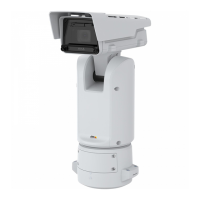
AXISExSeries
1.Removethetwolockinggrubscrews.Usetheincludedstainlesssteelbits.
2.Removethethreadedchambercover.Toavoiddamagingthethreads,usetheincluded
removaltool.
3.Routethecablesthroughthreadedentrypointsandsuitablycertiedglands.
WARNING
Earthingconnectionmustbeminimum14AWG(2mm²)conductorwithgreenandyellow
insulation.ConnectthroughtheM4earthstudusingthesuppliedcrimpringterminal.
Tightenwitha7mmringspannerorsocket.
Theterminalplugscanbedisconnectedtoalloweasyterminationoutsideoftheenclosure.For
TB1andTB2usewirebetween18-12AWG(0.8-3.0mm²).
WARNING
Onlyonewireshouldbeconnectedtoeachclampingpoint.
Anexternalearthconnectionpointisavailableforupto11AWG(4mm²)connection.When
used,itshallbeusedwithacrimpringterminal.
UseanRJ45connector(CAT5orhigher)fornetworkconnection.Optionally,anSFPslotisavailable
foranadditionalnetworkconnection,thisportutilizesvariousSFPmodulesincludingberoptic.
WARNING
Theuseofaberopticcableandinternalconnectionsshallcomplywithrequirements
ofUL/IEC/EN60079-14.
Whenwiringiscompleted,fastenthethreadedchambercoverandtightenuntilthejointisclosed.
Tightenthetwolockinggrubscrews.Usetheincludedstainlesssteelbits.
8



 To Next Page