20
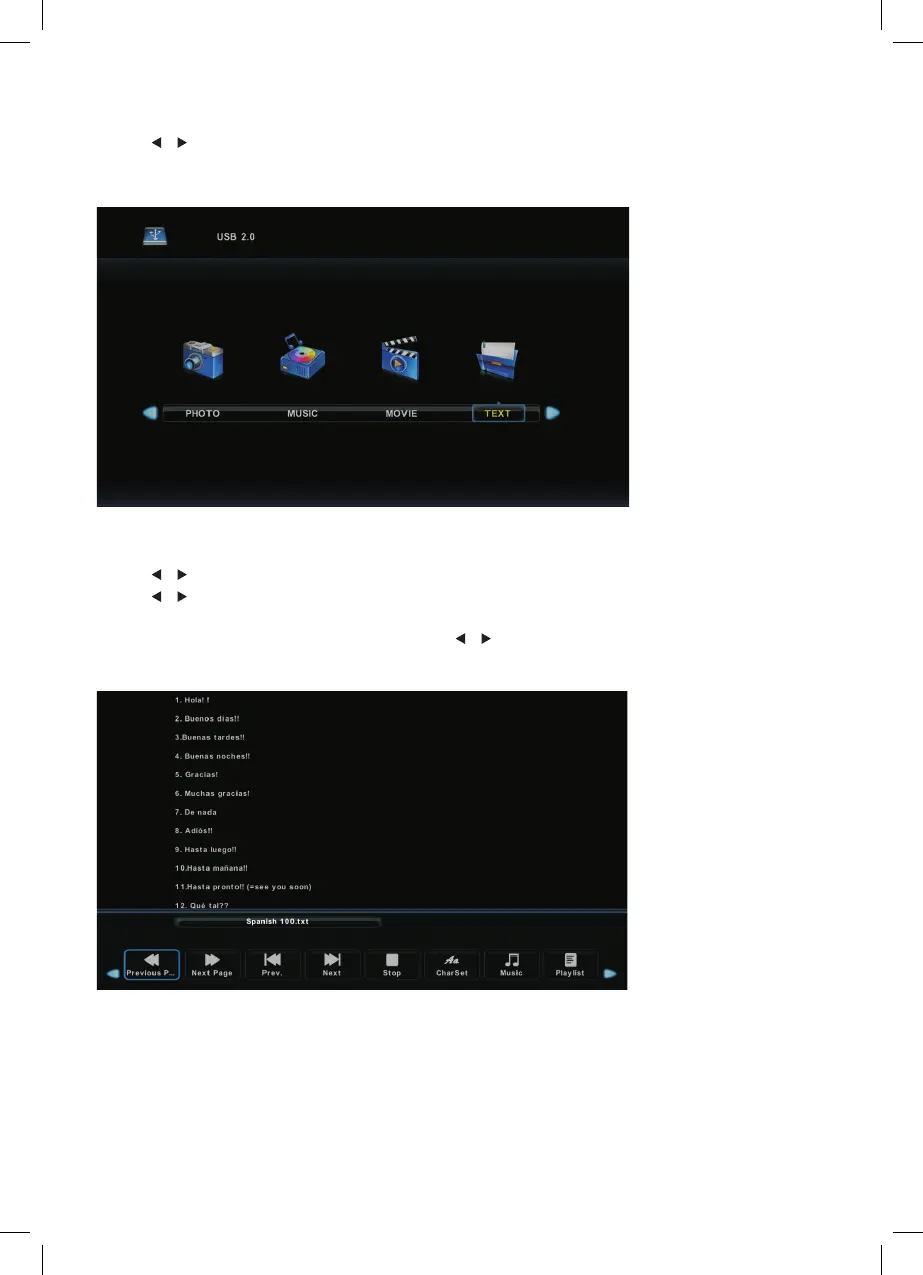
TEXT MENU
Press / button to select TEXT in the main menu, then press Enter button to enter.
Press Exit button to return to the previous menu.
Press / button to select drive disk, then press Enter button to enter.
Press / button to select return option to chane pages.
Press Display button to open the menu. Press / button to select a function, then press
Enter button to enter.
Press ◄ / ► button to select TEXT in the main menu, then press button to enter.Enter
Press button to return to the previous menu.Exit
Text Menu
Press ◄ / ► button to select drive disk, then press button to enter.Enter
Press ◄ / ► button to select return option to change pages.
Press Display button to open the menu. Press ◄ / ► button to select a function,
then press Enter button to enter.
17
Press ◄ / ► button to select TEXT in the main menu, then press button to enter.Enter
Press button to return to the previous menu.Exit
Text Menu
Press ◄ / ► button to select drive disk, then press button to enter.Enter
Press ◄ / ► button to select return option to change pages.
Press Display button to open the menu. Press ◄ / ► button to select a function,
then press Enter button to enter.
17
is accessed by pressing the D.Setup button.
Press to navigate the OSD Menu.
Press Enter to confirm the change.
Press D.Setup to leave the OSD Menu.
Pan & Scan (4:3)
The sides of the screen will be black.
Normal viewing mode.
Press D.Setup button on the remote control during DVD playback.
Press until the audio setup page is shown.
Downmix:
LT/RT: Mono audio during DVD playback.
Stereo: Stereo audio during DVD playback.
When you stop the disc, the player will automatically remember the point it finished playing.
When the disc is re-inserted, the player will continue from the same point.
Auto Tuning
ATV: Press M ENU and then left arrow button to skip ATV tuning.
DTV: Press MENU and then left arrow button to skip DTV tuning.
is accessed by pressing the D.Setup button.
Press to navigate the OSD Menu.
Press Enter to confirm the change.
Press D.Setup to leave the OSD Menu.
Pan & Scan (4:3)
The sides of the screen will be black.
Normal viewing mode.
Press D.Setup button on the remote control during DVD playback.
Press until the audio setup page is shown.
Downmix:
LT/RT: Mono audio during DVD playback.
Stereo: Stereo audio during DVD playback.
When you stop the disc, the player will automatically remember the point it finished playing.
When the disc is re-inserted, the player will continue from the same point.
Auto Tuning
ATV: Press M ENU and then left arrow button to skip ATV tuning.
DTV: Press MENU and then left arrow button to skip DTV tuning.



 To Next Page