5
MAIN MENU OPERATION
Press the Menu button on the remote to select the Main Menu.
From there, you can use the / buttons to select between the following sub-menus:
- Channel
- Picture
- Sound
- Time
- Option
- Lock
Once you select a sub-menu, use the / buttons to select an option in the sub-menu.
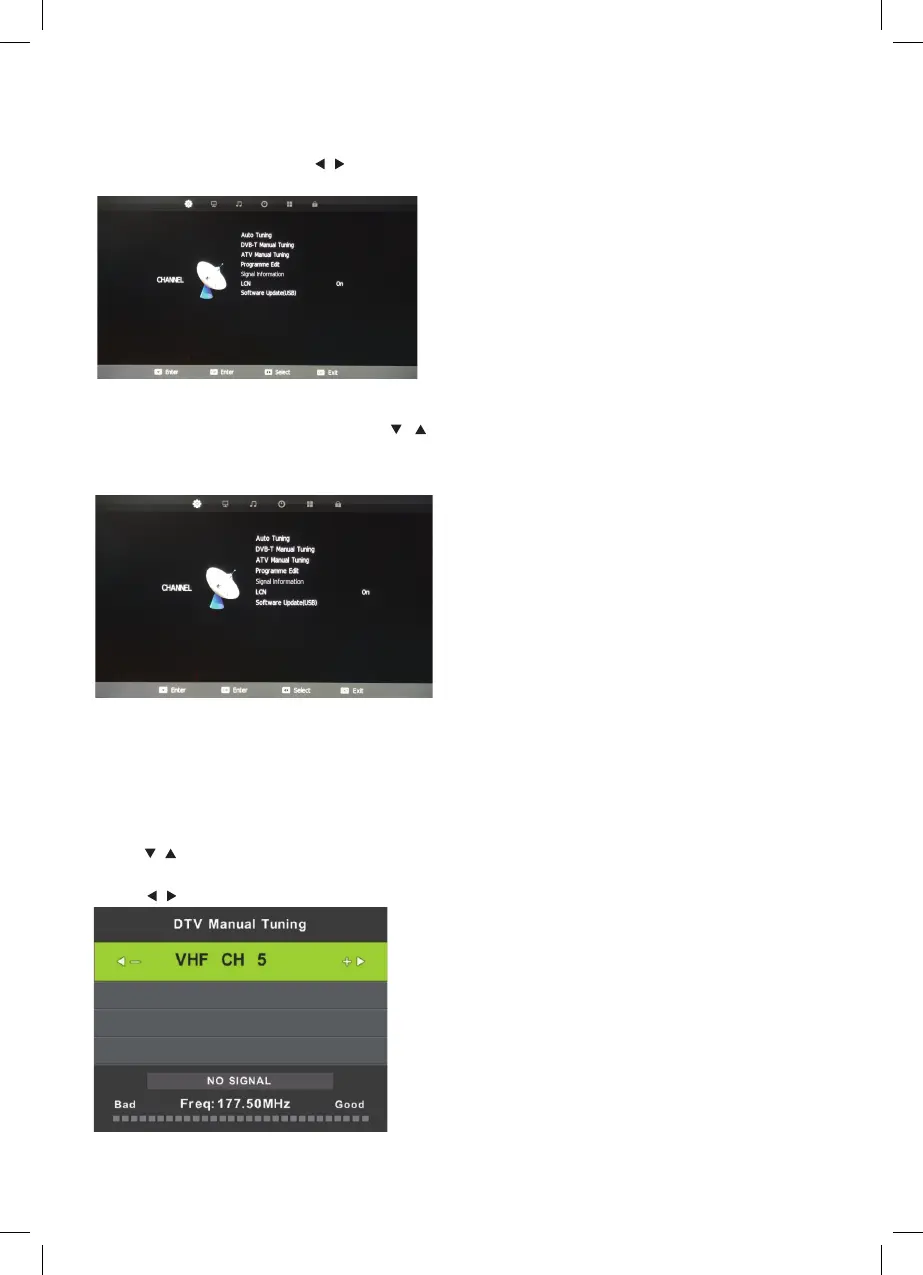
CHANNEL MENU
Auto Tuning
The auto tuning interface will be displayed.
DVB-T Manual Tuning
Press / button to select DVB-T Manual Tuning, then press ENTER button to enter
sub-menu.
Press / button to select channel, the press ENTER button to search program.
Auto Tuning
Press the ▼/▲ buttons to select Auto Tuning. After pressing the ENTER
ENTER
ENTER
DVB-T
DVB-T
button, the auto tuning
interface will be displayed.
Press the Menu button on the remote to select the Main Menu. From there, you can use the /
buttons to select between the following sub-menus:
- Channel
- Picture
- Sound
- Time
- Option
- Lock
Once you select a sub-menu, use the / buttons to select an option in the sub-menu.
4
Main Menu Operation
Channel Menu
.
Auto Tuning
Press the ▼/▲ buttons to select Auto Tuning. After pressing the ENTER
ENTER
ENTER
DVB-T
DVB-T
button, the auto tuning
interface will be displayed.
Press the Menu button on the remote to select the Main Menu. From there, you can use the /
buttons to select between the following sub-menus:
- Channel
- Picture
- Sound
- Time
- Option
- Lock
Once you select a sub-menu, use the / buttons to select an option in the sub-menu.
4
Main Menu Operation
Channel Menu
.
Auto Tuning
Press the ▼/▲ buttons to select Auto Tuning. After pressing the ENTER
ENTER
ENTER
DVB-T
DVB-T
button, the auto tuning
interface will be displayed.
Press the Menu button on the remote to select the Main Menu. From there, you can use the /
buttons to select between the following sub-menus:
- Channel
- Picture
- Sound
- Time
- Option
- Lock
Once you select a sub-menu, use the / buttons to select an option in the sub-menu.
4
Main Menu Operation
Channel Menu
.



 To Next Page