AXISM4216-VDomeCamera
Configureyourdevice
1.GotoVideo>Image>Day-nightmode,andmakesurethattheIR-cutlterissettoAuto.
2.Tosetatwhatlightlevelyouwantthecameratoswitchtonightmode,movetheThresholdslidertowardBrightorDark.
Note
Ifyousettheswitchtonightmodetooccurwhenit’sbrighter,theimageremainssharperasthereislesslow-lightnoise.If
yousettheswitchtooccurwhenit’sdarker,theimagecolorsaremaintainedforlonger,butthereismoreimageblurdue
tolow-lightnoise.
Reducemotionblurinlow-lightconditions
Toreducemotionblurinlow-lightconditions,adjustoneormoreofthefollowingsettingsinVideo>Image>Exposure:
•MovetheBlur-noisetrade-offslidertowardLowmotionblur.
Note
Whenyouincreasethegain,imagenoisealsoincreases.
•SetMaxshuttertoashortertime,andMaxgaintoahighervalue.
Ifyoustillhaveproblemswithmotionblur:
•Increasethelightlevelinthescene.
•Mountthecamerasothatobjectsmovetowarditorawayfromitratherthansideways.
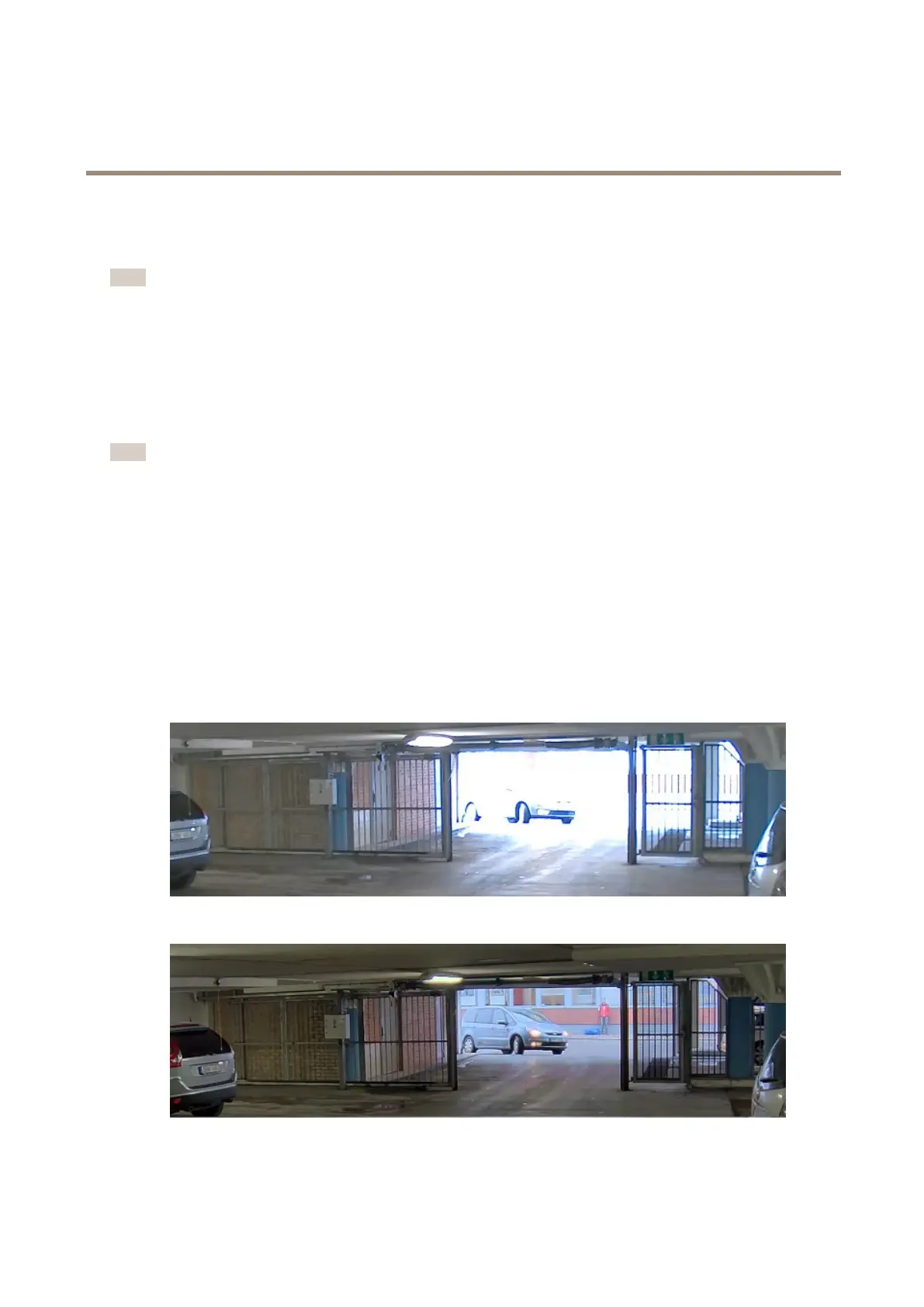
Handlesceneswithstrongbacklight
Dynamicrangeisthedifferenceinlightlevelsinanimage.Insomecasesthedifferencebetweenthedarkestandthebrightest
areascanbesignicant.Theresultisoftenanimagewhereeitherthedarkorthebrightareasarevisible.Widedynamicrange
(WDR)makesbothdarkandbrightareasoftheimagevisible.
ImagewithoutWDR.
ImagewithWDR.
7



 To Next Page