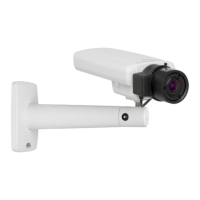
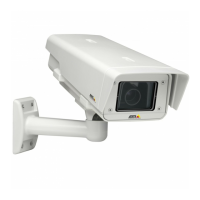
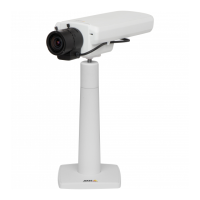
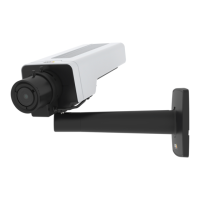
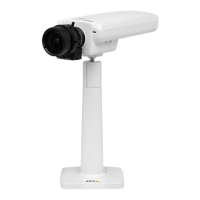
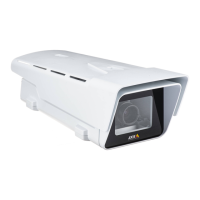
AXISP1357NetworkCamera
SystemOptions
Toavoidllingtheshare,itisrecommendedtoremoverecordingscontinuously.UnderRecordingSettings,selectRemoverecordings
olderthanandselectthenumberofdaysorweeks.
Tostopwritingtotheshareandprotectrecordingsfrombeingremoved,selectLockunderRecordingSettings.
Ports&Devices
I/OPorts
TheAxisproductprovidesoneinputportandoneoutputportforconnectionofexternaldevices.Forinformationabouthowto
connectexternaldevices,seeConnectorsonpage70.
TheI/OportsareconguredunderSystemOptions>Ports&Devices>I/OPorts.Theportscanbegivendescriptivenamesandtheir
NormalstatescanbeconguredasOpencircuitorGroundedcircuit.
COMPort
TheAxisproducthasoneRS-485/RS-422serialport.Theportsupportsthefollowingmodes:
•GenericHTTPallowstheAxisproducttoreceivedataandsendcommandsviaHTTP.
•PanTiltZoomisusedtocontrolaPTZdevice.ThePTZdevicerequiresadriver.SeeInstallPTZDriverformoreinformation.
Driverscanbedownloadedfromwww.axis.com
•GenericTCP/IPallowstheAxisproducttoreceivedataandsendcommandsviaTCP/IP.
SelectthedesiredPortTypefromthedrop-downlist.Formoreinformation,seetheonlinehelp
.
PortStatus
ThelistontheSystemOptions>Ports&Devices>PortStatuspageshowsthestatusoftheproduct’sinputandoutputports.
Maintenance
TheAxisproductprovidesseveralmaintenancefunctions.TheseareavailableunderSystemOptions>Maintenance.
ClickRestarttoperformacorrectrestartiftheAxisproductisnotbehavingasexpected.Thiswillnotaffectanyofthecurrent
settings.
Note
ArestartclearsallentriesintheServerReport.
ClickRestoretoresetmostsettingstothefactorydefaultvalues.Thefollowingsettingsarenotaffected:
•thebootprotocol(DHCPorstatic)
•thestaticIPaddress
•thedefaultrouter
•thesubnetmask
•thesystemtime
•theIEEE802.1Xsettings
•thefocusposition
•uploadedapplicationsarekeptbutmustberestarted
60


 To Next Page