AXISP1455-LENetworkCamera
Additionalsettings
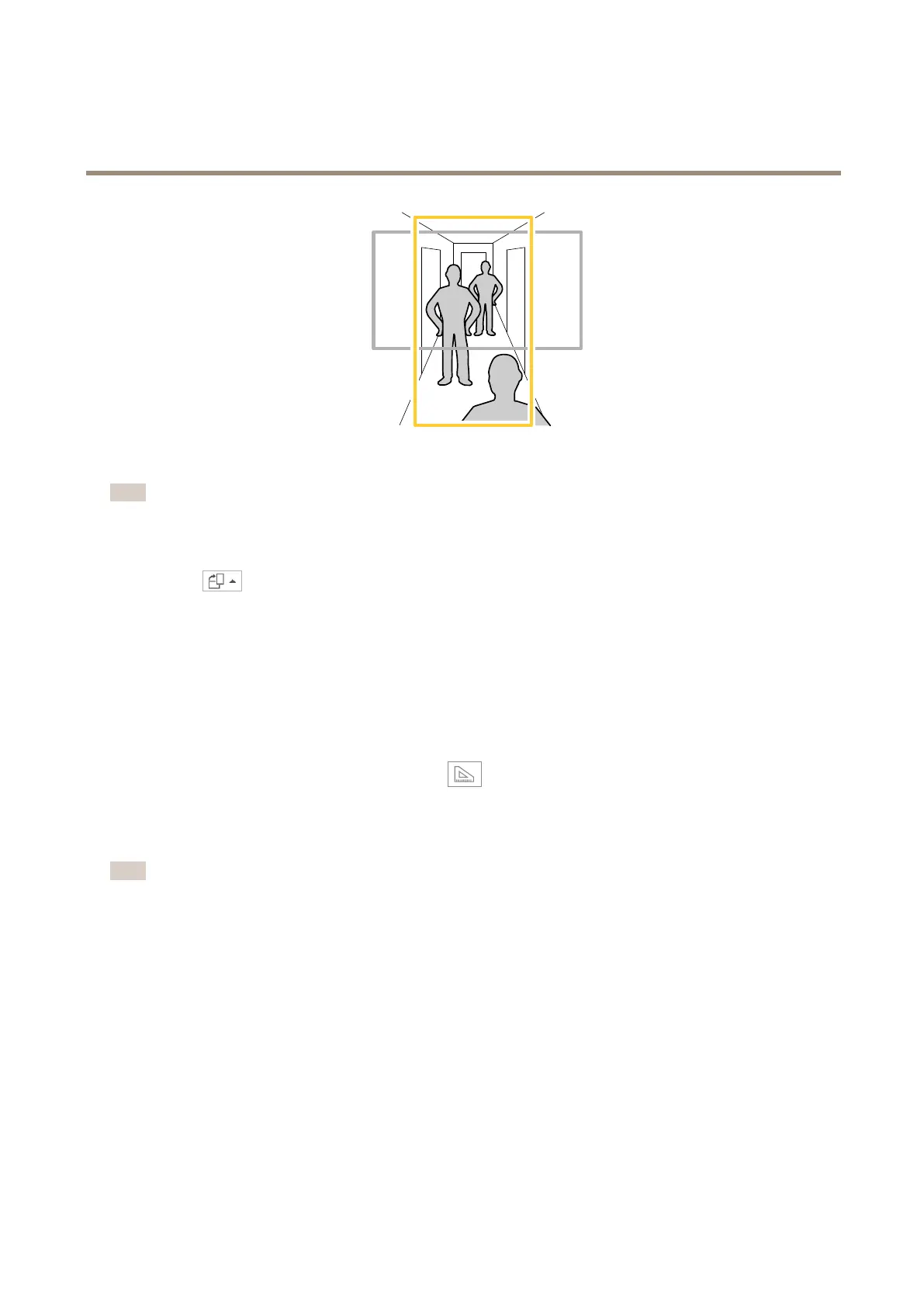
1.Dependingonyourdevice,turnthecameraorthe3-axislensinthecamera90°or270°.
Note
MakesuretoaimIRLEDsawayfromwallsorweathershields.
2.Ifthedevicedoesn’thaveautomaticrotationoftheview,logintothewebpageandgotoSettings>System>Orientation.
3.Click
.
4.Rotatetheview90°or270°.
Findoutmoreataxis.com/axis-corridor-format.
Improvelicenseplaterecognition
Tobetterrecognizethelicenseplateofacarpassingbythecamera,youcanapplyandadjustanumberofthings.
Oneoptionistousethepixelcounterinyourcameratosettheoptimalpixelresolution:
1.GotoSettings>System>Orientationandclick
.
2.Adjustthesizeandplacementoftherectangleinthecamera’sliveviewaroundtheareaofinterest,forexample
wherethelicenseplatesofpassingcarsareexpectedtoappear.Youcanthenseethenumberofpixelsrepresentedby
thesidesoftherectangle.
Note
Youcanuseanobjectofaknownsizeintheviewasareferencetodecidehowmuchresolutionisneededforrecognition.
Inaddition,youcantrytoadjustthefollowingtooptimizelicenseplaterecognition:
•Shutterspeed
•Gain
•Zoom
Hidepartsoftheimagewithprivacymasks
Youcancreateoneorseveralprivacymaskstohidepartsoftheimage.
1.GotoSettings>Privacymask.
2.ClickNew.
9



 To Next Page