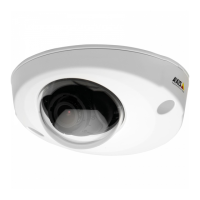
AXISP32DomeCameraSeries
Thedeviceinterface
Allowstreamextraction:Turnontoallowstreamextraction.
Inputtype:Selectthetypeofinput,forinstanceifit’samicrophoneorline-in.
Powertype:Selectpowertypeforyourinput.
Activatechanges:Clicktoactivateyourselection.
Separategaincontrols:Turnontoadjustthegainseparatelyforthedifferentinputtypes.
Automaticgaincontrol
:Turnontodynamicallyadaptthegaintochangesinthesound.
Gain:Usetheslidertochangethegain.Clickthemicrophoneicontomuteorunmute.
Output:Showsthetypeofoutput.
Gain:Usetheslidertochangethegain.Clickthespeakericontomuteorunmute.
Stream
Encoding:Selecttheencodingtousefortheinputsourcestreaming.Youcanonlychooseencodingifaudioinputisturnedon.If
audioinputistunedoff,clickEnableaudioinputtoturniton.
Audioclips
Addclip:Clicktoaddanewaudioclip.
Clicktoplaytheaudioclip.
Clicktostopplayingtheaudioclip.
Thecontextmenucontains:
•Rename:Changethenameoftheaudioclip.
•Createlink:CreateaURLwhich,whenused,playstheaudiocliponthedevice.Specifythevolumeandnumber
oftimestoplaytheclip.
•Download:Downloadtheaudiocliptoyourcomputer.
•Delete:Deletetheaudioclipfromthedevice.
Audiomixer
Input
TenBandGraphicAudioEqualizer:Turnontoadjustthelevelofdifferentfrequencybandswithinanaudiosignal.
Voiceenhancement
:Turnontoadjustthevoicecontentinrelationtoothersounds.
26



 To Next Page