AXISP32DomeCameraSeries
Thewebinterface
Stabilizermargin:Usetheslidertoadjustthesizeofthestabilizermargin,whichdeterminesthelevelofvibrationto
stabilize.Iftheproductismountedinanenvironmentwithalotofvibration,movetheslidertowardsMax.Asaresult,asmaller
sceneiscaptured.Iftheenvironmenthaslessvibration,movetheslidertowardsMin.
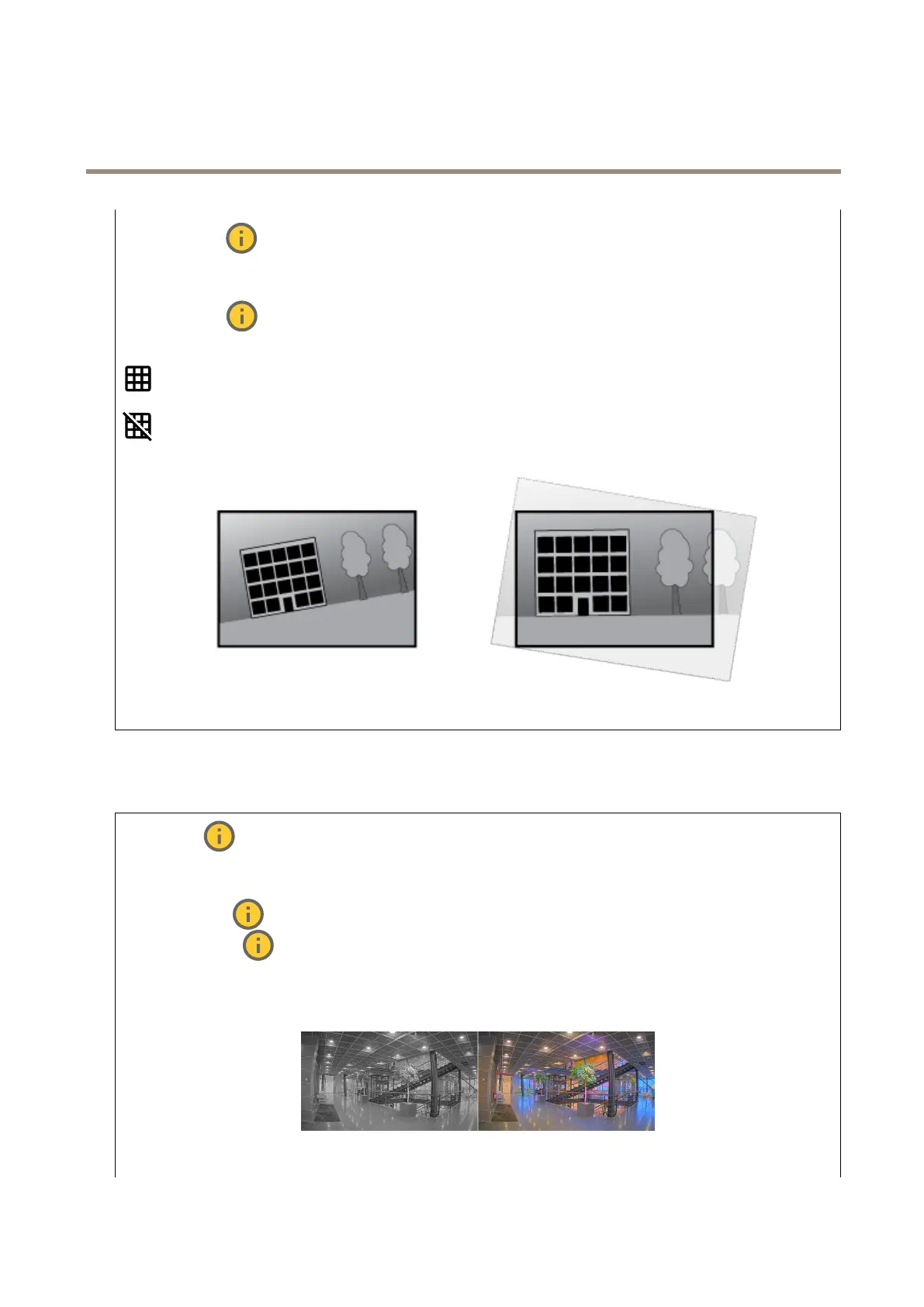
Straightenimage
:Turnonandusetheslidertostraightentheimagehorizontallybyrotatingandcroppingitdigitally.The
functionalityisusefulwhenit’snotpossibletomountthecameraexactlylevel.Ideally,straightentheimageduringinstallation.
:Clicktoshowasupportinggridintheimage.
:Clicktohidethegrid.
Theimagebeforeandafterithasbeenstraightened.
Image
Appearance
Sceneprole:Selectasceneprolethatsuitsyoursurveillancescenario.Asceneproleoptimizesimagesettings,
includingcolorlevel,brightness,sharpness,contrast,andlocalcontrast,foraspecicenvironmentorpurpose.
•Forensic:Suitableforsurveillancepurposes.
•Indoor
:Suitableforindoorenvironments.
•Outdoor
:Suitableforoutdoorenvironments.
•Vivid:Usefulfordemonstrationpurposes.
•Trafcoverview:Suitableforvehicletrafcmonitoring.
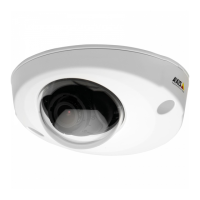
Saturation:Usetheslidertoadjustthecolorintensity.Youcan,forexample,getagrayscaleimage.
Contrast:Usetheslidertoadjustthedifferencebetweenlightanddark.
21



 To Next Page