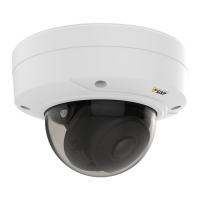
AXISP32DomeCameraSeries
Configureyourdevice
Createarule:
11.GotoSystem>Events>Rulesandaddarule.
12.Typeanamefortherule.
13.Inthelistofconditions,underVideo,selectTampering.
14.Inthelistofactions,underNotications,selectSendnoticationtoemailandthenselecttherecipientfromthelist.
15.Typeasubjectandamessagefortheemail.
16.ClickSave.
Audio
Addaudiotoyourrecording
Turnonaudio:
1.GotoVideo>Stream>Audioandincludeaudio.
2.Ifthedevicehasmorethanoneinputsource,selectthecorrectoneinSource.
3.GotoAudio>Devicesettingsandturnonthecorrectinputsource.
4.Ifyoumakeanychangestotheinputsource,clickApplychanges.
Editthestreamprolethatisusedfortherecording:
5.GotoSystem>Streamprolesandselectthestreamprole.
6.SelectIncludeaudioandturniton.
7.ClickSave.
Addaudiocapabilitytoyourproductusingportcast
Withportcasttechnology,youcanaddaudiocapabilitytoyourproduct.ItallowsaudioandI/Ocommunicationdigitallyoverthe
networkcablebetweenthecameraandtheinterface.
ToaddaudiocapabilitytoyourAxisnetworkvideodevice,connecttheportcastcompatibleAxisaudiodeviceandI/OInterface
betweenyourdeviceandthePoEswitchwhichprovidespower.
1.ConnecttheAxisnetworkvideodevice(1)andtheAxisportcastdevice(2)withaPoEcable.
2.ConnecttheAxisportcastdevice(2)andthePoEswitch(3)withaPoEcable.
1
Axisnetworkvideodevice
2
Axisportcastdevice
3
Switch
Oncethedevicesareconnected,anaudiotabbecomesvisibleinthesettingsforyourAxisnetworkvideodevice.Gototheaudio
tabandturnonAllowaudio.
15



 To Next Page