AXISP3365-VFixedDomeNetworkCamera
AccesstheProduct
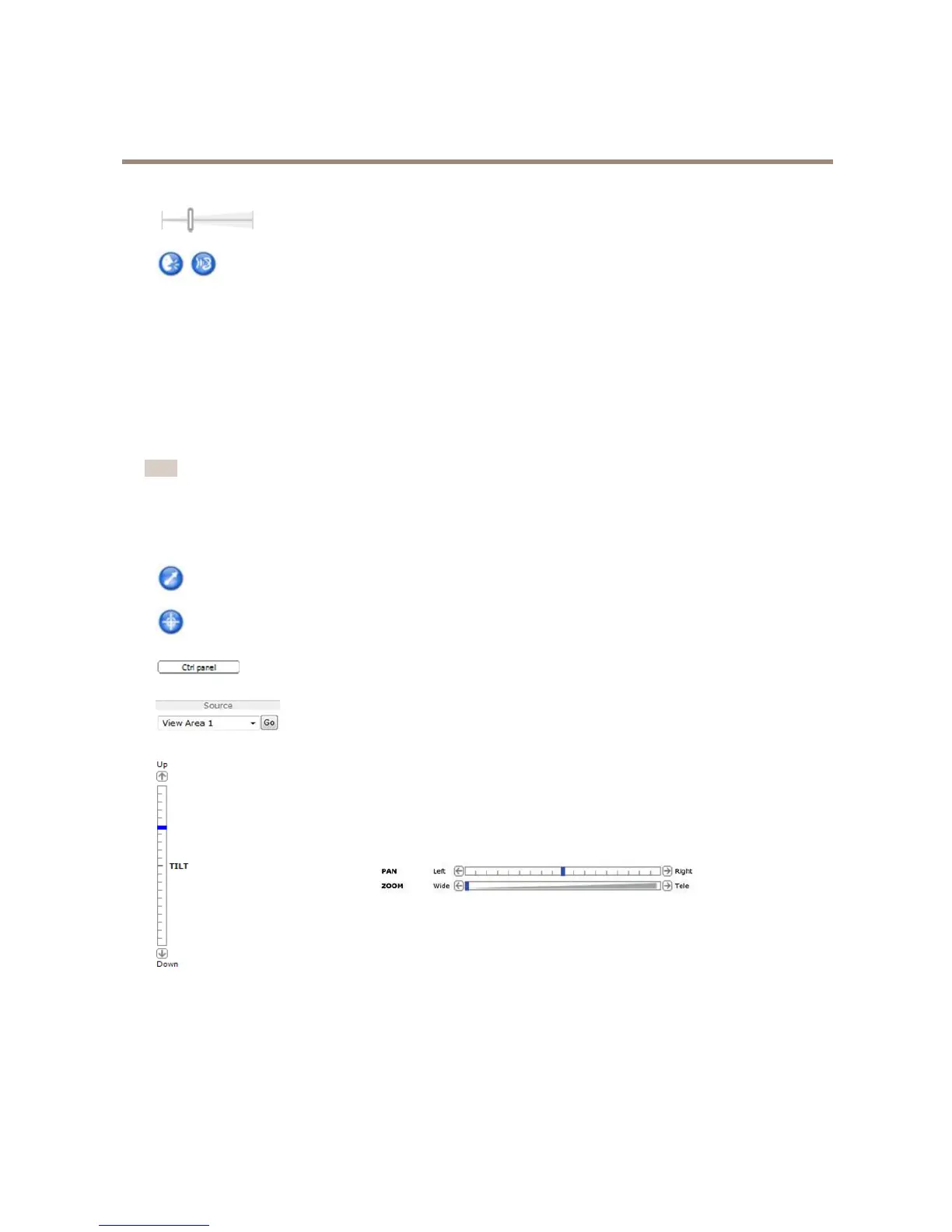
Usetheslidertocontrolthevolumeofthespeakersandthemicrophone.
Half-duplexmode
TheTalk/Listenbuttonisusedtoswitchbetweensendingandreceivingaudio.Thebuttoncanbecongured
fromtheAudiotabintheAMCControlpanel:
•Push-To-Talkmode:Clickandholdthebuttontotalk/send.Releasethebuttontolisten.
•Togglemode:Clickoncetoswitchbetweentalkingandlistening.
Simplex–speakeronlymode
Tosendaudio,theTalkandMicrophonebuttonsmustbothbeactive.Clickeitherbuttontostopaudio
transmission.
PTZControls
TheLiveViewpagealsodisplaysPan/Tilt/Zoom(PTZ)controls.Theadministratorcanenable/disablecontrolsforspeciedusersunder
SystemOptions>Security>Users.
Note
ThesecontrolsareavailableifdigitalPTZisenabledintheselectedviewarea,seeViewAreaonpage22.
WiththePTZControlQueueenabledthetimeeachuserisincontrolofthePTZsettingsislimited.Clickthebuttonstorequestor
releasecontrolofthePTZcontrols.ThePTZControlQueueissetupunderPTZ>ControlQueue.
ClicktheEmulatejoystickmodebuttonandclickintheimagetomovethecameraviewinthedirectionofthe
mousepointer.
ClicktheCentermodebuttonandclickintheimagetocenterthecameraviewonthatposition.Thecentermode
buttoncouldalsobeusedtozoominonaspecicarea.Clickintheimageanddragtodrawarectanglesurrounding
theareatobemagnied.Tozoomout,rotatethemousewheel.
ClicktheCtrlpanelbuttontoopenthePTZcontrolpanelwhichprovidesadditionalPTZcontrols.
User-denedbuttonscanalsoappearintheControlpanel.SeeControlsonpage30.
Toviewaspecicviewareaorpresetposition,selectitfromtheSourcelist.
PanandTiltbars–Usethearrowstopanandtiltthecameraview,orclickona
positiononthebartosteerthecameraviewtothatposition.
Zoombar–Usethearrowstozoominandout,orclickonapositiononthebarto
zoomtothatposition.
ThePTZcontrolscanbedisabledunderPTZ>Advanced>Controls,seeControlsonpage30.
13



 To Next Page