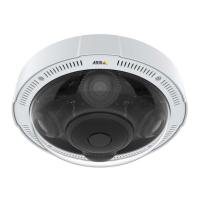
AXISP3707-PENetworkCamera
Aboutvideosettings
Aboutstreamproles
Astreamproleisasetofpredenedstreamsettingsincludingresolution,compression,framerateandoverlaysettings.Stream
prolescanbeused:
•Whensettinguprecordingusingactionrules.SeeAbouteventsonpage29.
•Whensettingupcontinuousrecording.SeeAboutcontinuousrecordingonpage34.
•IntheLiveViewpage–selectthestreamprolefromtheStreamproledrop-downlist.
Tocreateanewproleormodifyanexistingprole,gotoSetup>Video>StreamProles.
ToselectadefaultstreamprolefortheLiveViewpage,gotoSetup>LiveViewCong.
AboutONVIFmediaproles
AnONVIFmediaproleconsistsofasetofcongurationsthatcanbeusedtochangemediastreamsettings.ONVIFmediaproles
canbeusedbyaclienttoconguremediastreamproperties.
TheONVIFMediaProlespagelistsallpreconguredproles.Theseprolesareincludedintheproductforquicksetup.Youcan
add,modifyorremoveONVIFmediaprolesfromthispage.
Aboutcamerasettings
TheVideo>CameraSettingspageprovidesaccesstoadvancedimagesettingsfortheAxisproduct.
Aboutcapturemodes
CapturemodedenesthemaximumresolutionandmaximumframerateavailableintheAxisproduct.Acapturemodewithalarge
maximumresolutionhasareducedmaximumframerateandviceversa.Thecapturemodesettingalsoaffectsthecamera’seldof
viewastheeffectivesizeoftheimagesensordiffersbetweencapturemodes.
Important
Changingcapturemodewhentheproducthasbeenconguredisnotrecommendedasmostothersettingswillbeeither
removedorreset.
Tochangecapturemode,followthesesteps:
1.GotoSetup>Video>CameraSettings.
2.Selectthenewcapturemode.
3.ClickSave.
Note
Whenthecapturemodeischanged,thecameraneedstorebootforthechangestotakeeffect.
Aboutimageappearance
TochangeImageAppearancegotothemenusunderSetup>Video>CameraSettings.
IncreasingtheColorlevelincreasesthecolorsaturation.Thevalue100producesmaximumcolorsaturationandthevalue0
resultsinablackandwhiteimage.
TheimageBrightnesscanbeadjustedintherange0–100,whereahighervalueproducesabrighterimage.
IncreasingtheSharpnesscanincreasebandwidthusage.Asharperimagemightincreaseimagenoiseespeciallyinlowlight
conditions.Alowersettingreducesimagenoise,butthewholeimagewillappearlesssharp.
20


 To Next Page