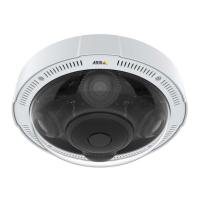
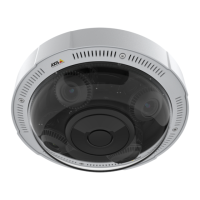
AXISP3707-PENetworkCamera
Aboutevents
-Tampering–Triggertherulewhentamperingisdetected.SeeAboutcameratamperingonpage27.
•Hardware
-Network–Triggertheruleifnetworkconnectionislostorrestored.Thiscanforexamplebeusedtostart
recordingtotheSDcard.
•InputSignal
-ManualTrigger–TriggertheruleusingtheManualTriggerbuttonintheLiveViewpage.SeeAboutthe
controlsintheliveviewwindowonpage11.Thiscanforexamplebeusedtovalidateactionsduringproduct
installationandconguration.
-VirtualInputs–canbeusedbyaVMS(VideoManagementSystem)totriggeractions.Virtualinputscan,for
example,beconnectedtobuttonsintheVMSuserinterface.
•Storage
-Disruption–Triggertheruleifstorageproblemsaredetected,forexampleifthestoragedeviceisunavailable,
removed,full,lockedorifotherreadorwriteproblemsoccur.Thiscanforexamplebeusedtosendmaintenance
notications.
-Recording–TriggerstherulewhentheAxisproductrecordstothestoragedevice.Therecordingstatustrigger
canbeusedtonotifytheoperator,forexamplebyashingLEDlights,iftheproducthasstartedorstoppedto
recordtothestoragedevice.Notethat,thistriggercanbeusedonlyforedgestoragerecordingstatus.
•System
-SystemReady–Triggertherulewhentheproducthasbeenstartedandallservicesarerunning.Thiscanfor
examplebeusedtosendanoticationwhentheproductrestarts.
•Time
-Recurrence–Triggertheruleperiodically.SeeHowtosetuprecurrencesonpage32.Thiscanforexamplebe
usedtouploadanimageevery5minutes.
-UseSchedule–Triggertheruleaccordingtotheselectedschedule.SeeHowtocreateschedulesonpage32.
Aboutactions
Availableactionsinclude:
•OverlayText–Displayanoverlaytext.SeeHowtoincludeoverlaytextinanactionruleonpage22.
•RecordVideo–Recordvideotoaselectedstorage.
•SendImages–Sendimagestoarecipient.
•SendNotication–Sendanoticationmessagetoarecipient.
•SendSNMPTrap–SendanSNMPtrapmessagetotheoperator.MakesurethatSNMPisenabledandcongured
underSystemOptions>Network>SNMP.
•SendVideoClip–Sendavideocliptoarecipient.
Howtoaddrecipients
Theproductcansendmedialesandmessagestonotifyusersaboutevents.Beforetheproductcansendmedialesornotication
messages,youmustdeneoneoremorerecipients.Forinformationaboutavailableoptions,seeAboutrecipienttypesonpage31.
Toaddarecipient:
1.GotoEvents>RecipientsandclickAdd.
30



 To Next Page