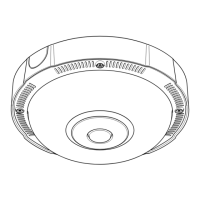
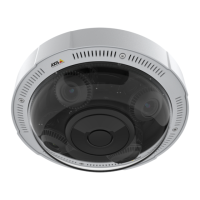
AXISP3727-PLEPanoramicCamera
Thedeviceinterface
-Maximumbitrate:Turnontosetabitratelimit.
-Bitratelimit:Enterabitratelimitthatishigherthanthetargetbitrate.
•Maximum:Selecttosetamaximuminstantbitrateofthestreambasedonyournetworkbandwidth.
-Maximum:Enterthemaximumbitrate.
•Variable:Selecttoallowthebitratetovarybasedonthelevelofactivityinthescene.Moreactivityrequiresmore
bandwidth.Werecommendthisoptionformostsituations.
Orientation
Rotate:Rotatetheimagetomatchyourrequirements.
Mirror:Turnontomirrortheimage.
Overlays
:Clicktoaddanoverlay.Selectthetypeofoverlayfromthedropdownlist:
•Text:Selecttoshowatextthatisintegratedintheliveviewimageandvisibleinallviews,recordingsandsnapshots.
Youcanenteryourowntext,andyoucanalsoincludepre-conguredmodierstoautomaticallyshowforexample
time,date,framerate.
-
:Clicktoaddthedatemodier%Ftoshowyyyy-mm-dd.
-
:Clicktoaddthetimemodier%Xtoshowhh:mm:ss(24-hourclock).
-
:Clicktoselectanyofthemodiersshowninthelisttoaddthemtothetextbox.Forexample,
%ashowsthedayoftheweek.
-Size:Selectthedesiredfontsize.
-Appearance:Selectthetextcolorandbackgroundcolor,forexample,whitetextonablackbackground
(default).
-
:Selectthepositionoftheoverlayintheimage.
•Image:Selecttoshowastaticimagesuperimposedoverthevideostream.Youcanuse.bmp,.png,.jpeg,or.svgles.
Touploadanimage,clickImages.Beforeyouuploadanimage,youcanchooseto:
-Scalewithresolution:Selecttoautomaticallyscaletheoverlayimagetotthevideoresolution.
-Usetransparency:SelectandentertheRGBhexadecimalvalueforthatcolor.UsetheformatRRGGBB.
Examplesofhexadecimalvalues:FFFFFFforwhite,000000forblack,FF00000forred,6633FFforblue,and
669900forgreen.Onlyfor.bmpimages.
•Streamingindicator:Selecttoshowananimationsuperimposedoverthevideostream.Theanimationindicates
thatthevideostreamislive,evenifthescenedoesn’tcontainanymotion.
-Appearance:Selecttheanimationcolorandbackgroundcolor,forexample,redanimationonatransparent
background(default).
-Size:Selectthedesiredfontsize.
-
:Selectthepositionoftheoverlayintheimage.
Privacymasks
:Clicktocreateanewprivacymask.Themaximumnumberofmasksdependonthecomplexityofallmaskscombined.
Eachmaskcanhavemaximum10anchorpoints.
Privacymasks:Clicktochangethecolorofallprivacymasks,ortodeleteallprivacymaskspermanently.
Maskx:Clicktorename,disable,orpermanentlydeletethemask.
20



 To Next Page