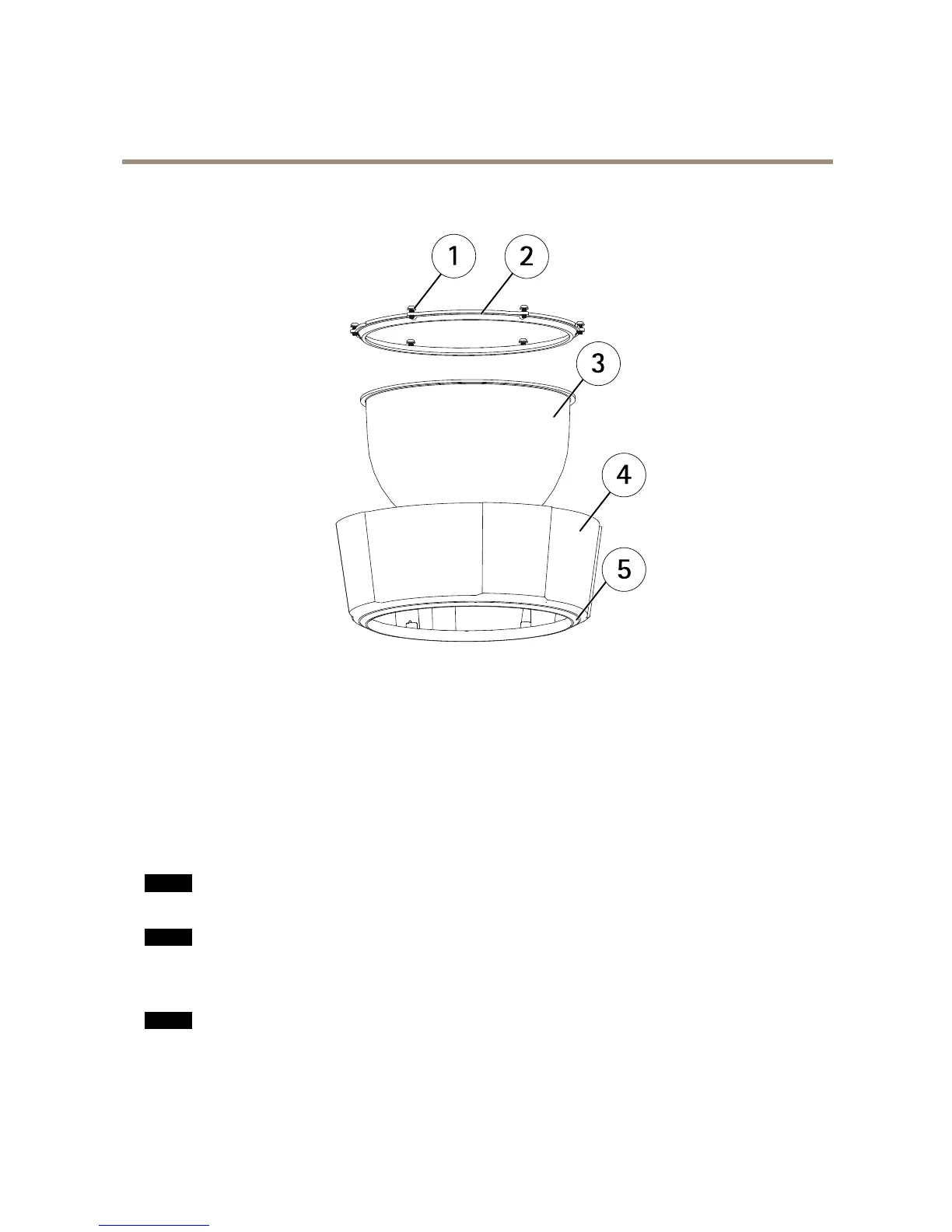
1
Screws
2
Domering
3
Domecover
4
Topcover
5
Sealingring
ConnectorsandButtons
Fortechnicalspecications,seepage57.
NetworkConnector
RJ45Push-pullConnector(IP66)withHighPoweroverEthernet(HighPoE).
NO NO
NO
TICE TICE
TICE
Usethesuppliedmidspan.
NO NO
NO
TICE TICE
TICE
Theproductshallbeconnectedusingashieldednetworkcable(STP).Allcablesconnectingtheproducttothenetworkshall
beintendedfortheirspecicuse.Makesurethatthenetworkdevicesareinstalledinaccordancewiththemanufacturer’s
instructions.Forinformationaboutregulatoryrequirements,seeElectromagneticCompatibility(EMC)onpage2.
NO NO
NO
TICE TICE
TICE
TocomplywiththeIP66-rateddesignofthecameraandmaintaintheIP66protection,thesuppliedRJ45Push-pullConnector
(IP66)shallbeused.Alternatively,usetheRJ45IP66-ratedcablewithpremountedconnectorwhichisavailablefromyour
Axisreseller.Donotremovetheplasticnetworkconnectorshieldfromthecamera.
8



 To Next Page