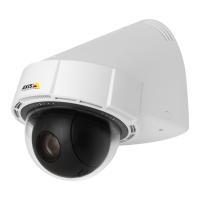
AXISP5624–EPTZDomeNetworkCamera
Video
Video
ItispossibletocongurethefollowingvideofeaturesinyourAxisproduct:
•Videostream.Seepage16.
•Streamproles.Seepage17.
•Camerasettings.Seepage18.
•Overlayimage.Seepage19.
•Privacymask.Seepage21.
SetUpVideoStreams
Tosetuptheproduct’svideostreams,gotoVideo>VideoStream.
Thevideostreamsettingsaredividedintothefollowingtabs:
•Image.Seepage16.
•H.264.Seepage17.
•MJPEG.Seepage17.
PixelCounter
Thepixelcountershowsthenumberofpixelsinanareaoftheimage.Thepixelcounterisusefulinsituationswherethereisa
requirementthattheimageisacertainsize,forexampleinfacerecognition.
Thepixelcountercanbeaccessedfrom:
•Video>VideoStream.UnderPreview,clickOpenandselecttheShowpixelcounteroptiontoenabletherectangle
intheimage.Usethemousetomoveandresizetherectangle,orenterthenumberofpixelsintheWidthandHeight
eldsandclickApply.
•TheLiveViewpageinInternetExplorerwithAXISMediaControl(AMC)inWindows.Right-clickintheimageandselect
Pixelcounter.Usethemousetomoveandresizetherectangle.
Image
ThedefaultimagesettingscanbeconguredunderVideo>VideoStream.SelecttheImagetab.
Thefollowingsettingsareavailable:
•Resolution.Selectthedefaultresolution.
•Compression.Thecompressionlevelaffectstheimagequality,bandwidthandlesizeofsavedimages;thelowerthe
compression,thehighertheimagequalitywithhigherbandwidthrequirementsandlargerlesizes.
•Rotateimage.Ifrequired,theimagecanberotated.
•Maximumframerate.Toavoidbandwidthproblems,theframerateallowedtoeachviewercanbeLimitedtoaxed
amount.Alternatively,theframeratecanbesetasUnlimited,whichmeanstheAxisproductalwaysdeliversthehighest
frameratepossibleunderthecurrentconditions.
•Overlaysettings.SeeOverlayonpage19.
ClickSavetoapplythenewsettings.
16



 To Next Page