AXISQ1656BoxCameraSeries
Configureyourdevice
•Belowtheliveviewimage,clickandinVideoformat,selectMJPEG.
•GotoVideo>Stream>ZipstreamandselectOff.
Handlesceneswithstrongbacklight
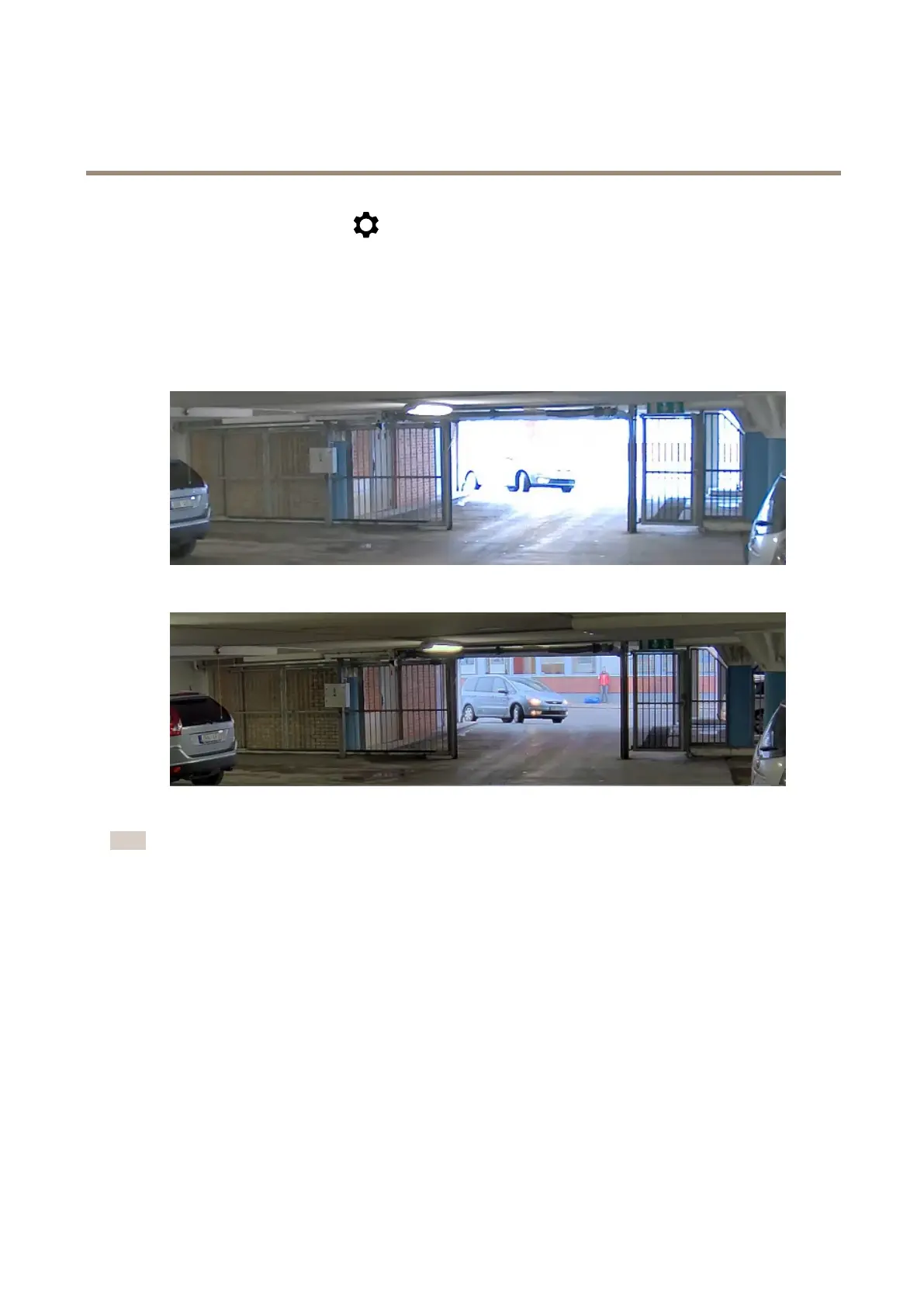
Dynamicrangeisthedifferenceinlightlevelsinanimage.Insomecasesthedifferencebetweenthedarkestandthebrightest
areascanbesignicant.Theresultisoftenanimagewhereeitherthedarkorthebrightareasarevisible.Widedynamicrange
(WDR)makesbothdarkandbrightareasoftheimagevisible.
ImagewithoutWDR.
ImagewithWDR.
Note
•WDRcancauseartifactsintheimage.
•WDRmaynotbeavailableforallcapturemodes.
1.GotoVideo>Image>Widedynamicrange.
2.TurnonWDR.
3.UsetheLocalcontrastslidertoadjusttheamountofWDR.
4.Ifyoustillhaveproblems,gotoExposureandadjusttheExposurezonetocovertheareaofinterest.
FindoutmoreaboutWDRandhowtouseitataxis.com/web-articles/wdr.
Stabilizeashakyimagewithimagestabilization
Imagestabilizationissuitableinenvironmentswheretheproductismountedinanexposedlocationwherevibrationscanoccur,for
example,duetowindorpassingtrafc.
Thefeaturemakestheimagesmoother,steadier,andlessblurry.Italsoreducesthelesizeofthecompressedimageandlowersthe
bitrateofthevideostream.
8


 To Next Page
 Loading...